🚀 Autopilot for Your Blog, Web Search in Ask AI, Bulk Prompt Entry, PDF Exports and Shareable Report Links & Much More
We're excited to announce Autopilot, a hands-off mode that finds what your customers search for, writes it in your brand voice, and waits for your approval before anything publishes, plus web search inside Ask AI, bulk prompt entry for AI Visibility, exportable and shareable Analytics and Visibility reports, a customizable Planner table, and a round of fixes across generation, integrations, and the editor.
✨ New Features
🚀 Autopilot - Your Blog, On Autopilot
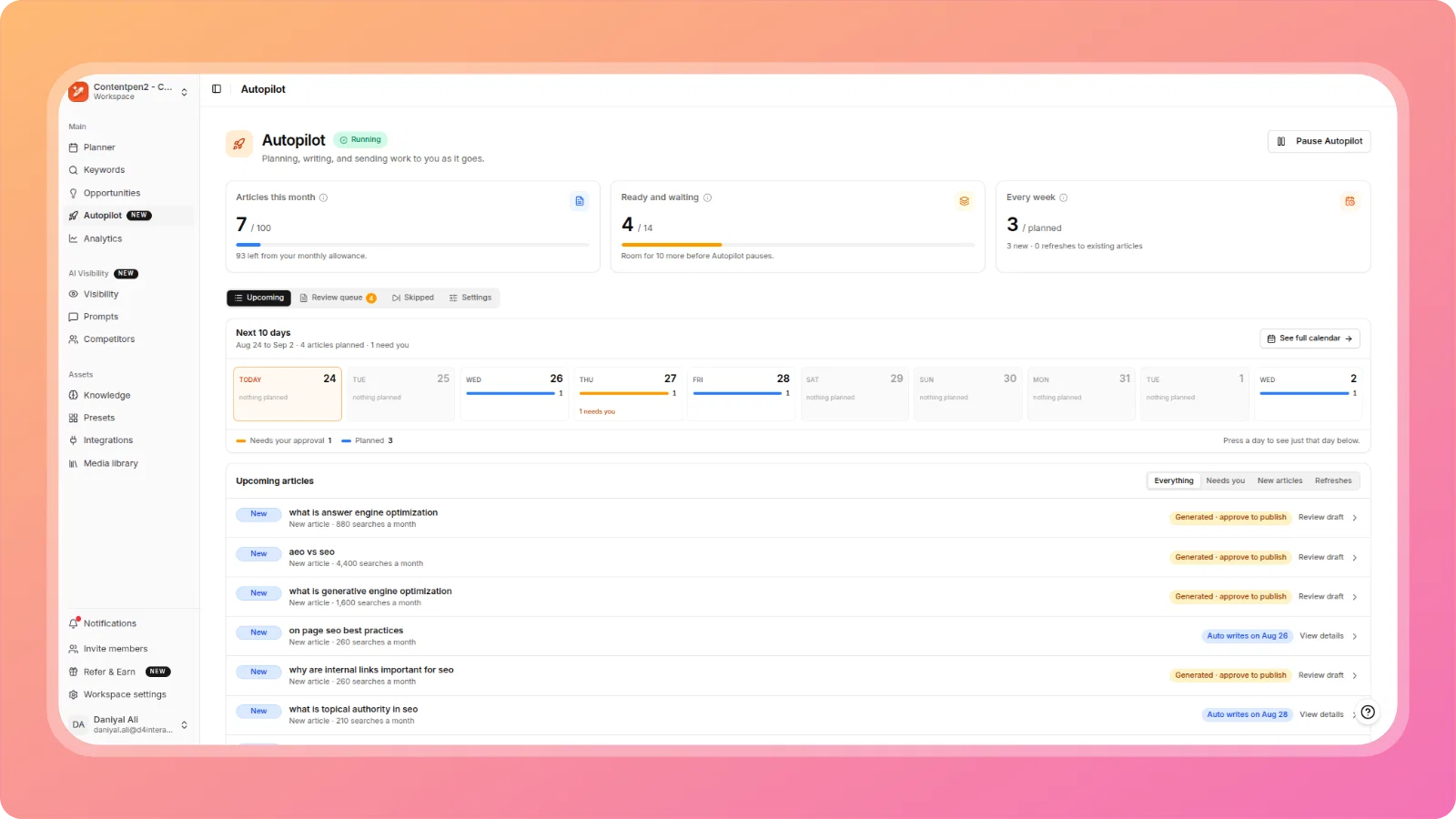
Autopilot finds what your customers are searching for, writes articles in your workspace's brand voice, and waits for your approval before anything goes live.
Enable it from the new Autopilot tab in about two minutes. Once running, the Autopilot dashboard shows articles generated this month against your plan allowance, how many drafts are ready and waiting for review, and how many are planned for the week ahead. A Next 10 days strip on the dashboard, and matching cards directly on the Planner calendar, show exactly what's coming and when, with each article marked Generated · approve to publish or Auto writes on [date].
You stay fully in control: a dedicated settings panel lets you choose, separately for new articles and for refreshes to existing articles, whether Autopilot shows you the topic first, writes it and waits for your approval, or writes and publishes with no approval step at all. Change any of these settings at any time.
🔎 Web Search for Ask AI
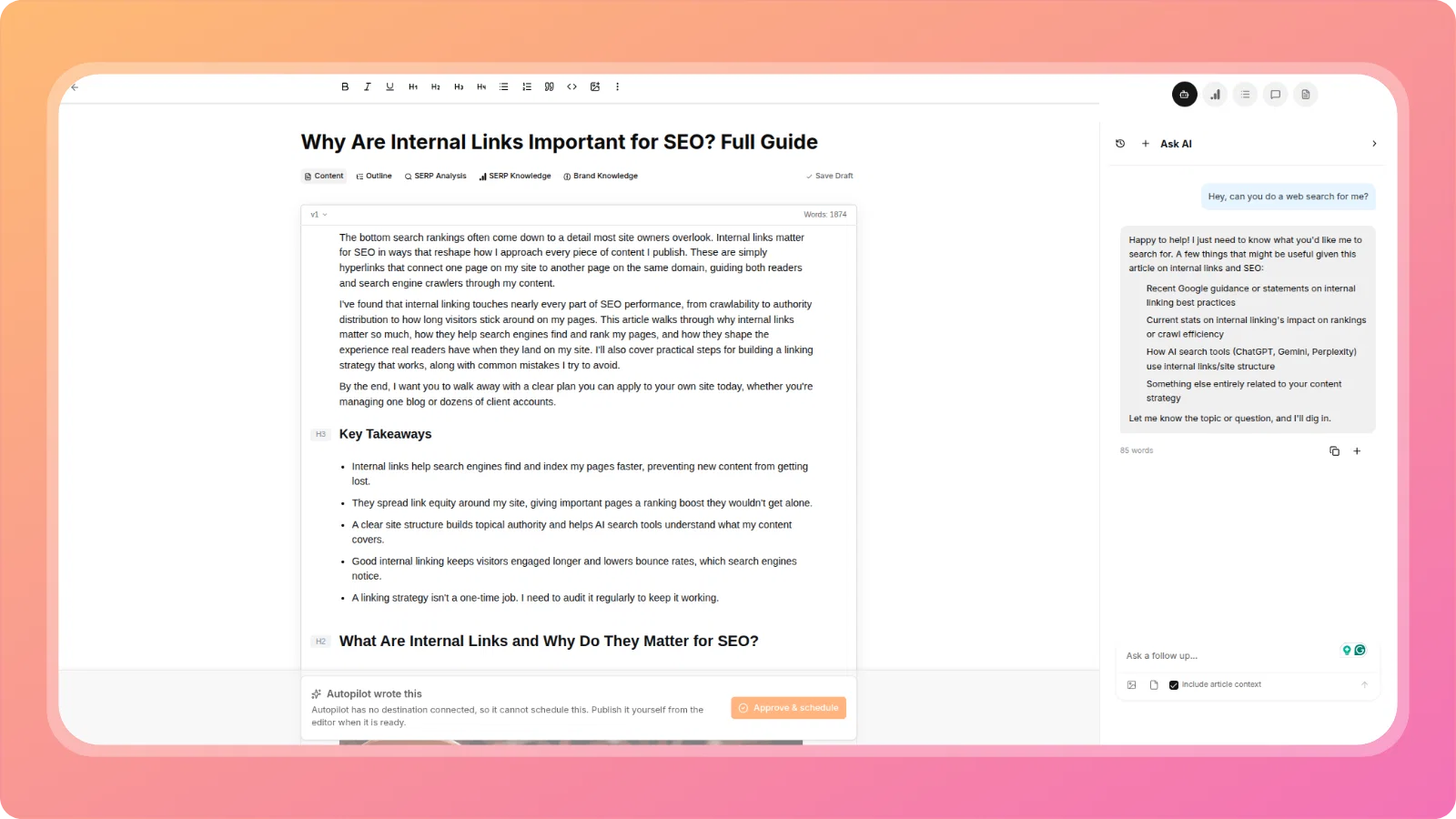
Ask AI can now search the web when you ask it to. Request things like current SEO/algorithm updates, live CTR benchmarks, competitor title and meta suggestions, or any fact you want verified for the article, and Ask AI runs the search and cites reliable sources directly in the chat instead of asking you to paste the data in yourself.
📋 Bulk Add Prompts in AI Visibility → Prompts
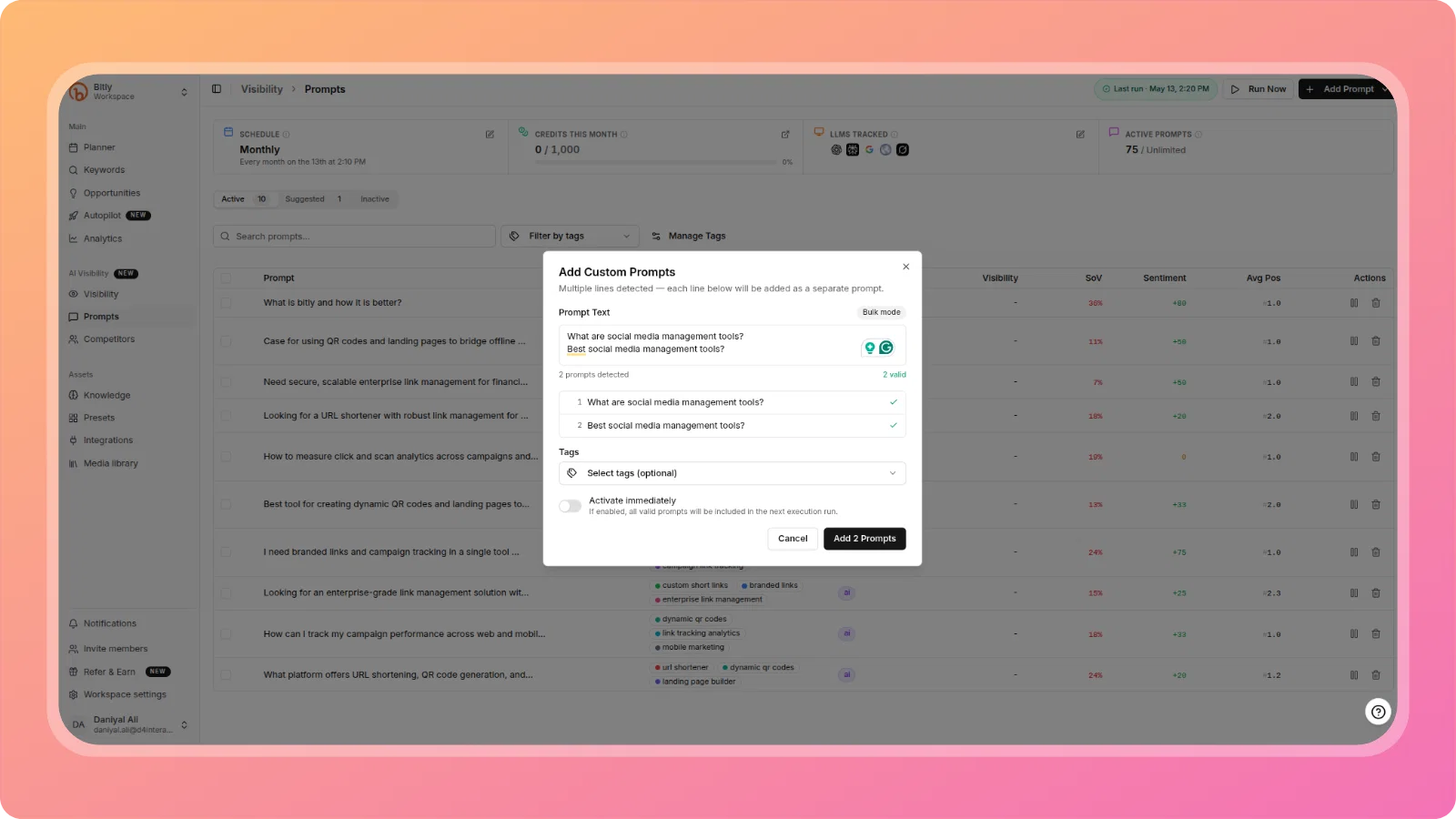
Adding prompts to AI Visibility no longer means reopening the modal one prompt at a time. Paste multiple lines into the same Add Custom Prompt field and it automatically detects and switches to bulk mode, showing each line as a separate prompt with validation, so you can review and add 10+ prompts in one action. If you only ever add one prompt at a time, the flow looks exactly the same as before.
📄 Export Analytics Report as PDF
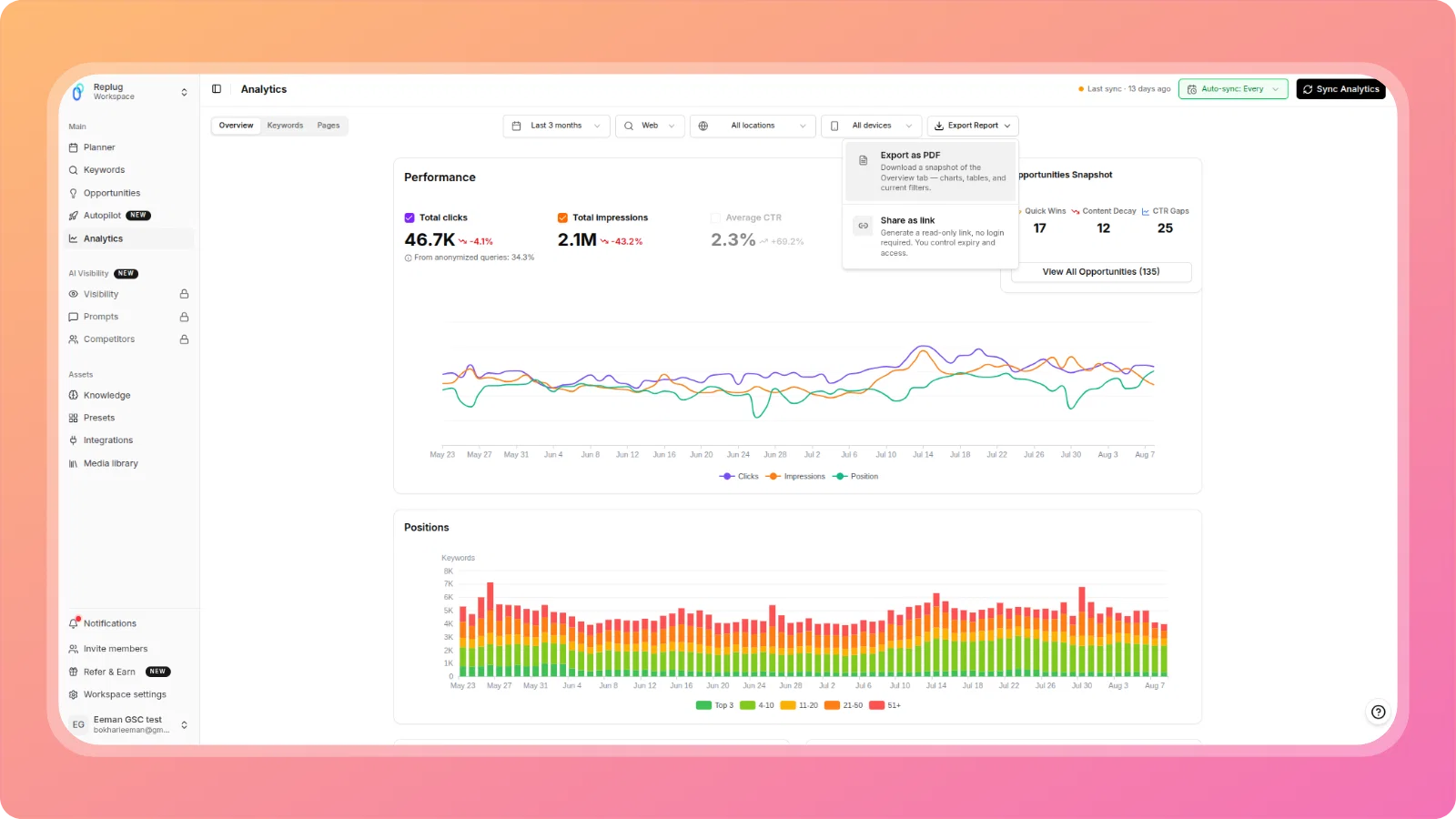
Export your current Analytics Overview as a PDF directly from the Analytics page. Click Export Report → Export as PDF to download a snapshot of your charts, tables, and current filters, including your ContentPen branding.
🔗 Share Analytics Report as a Read-Only Link
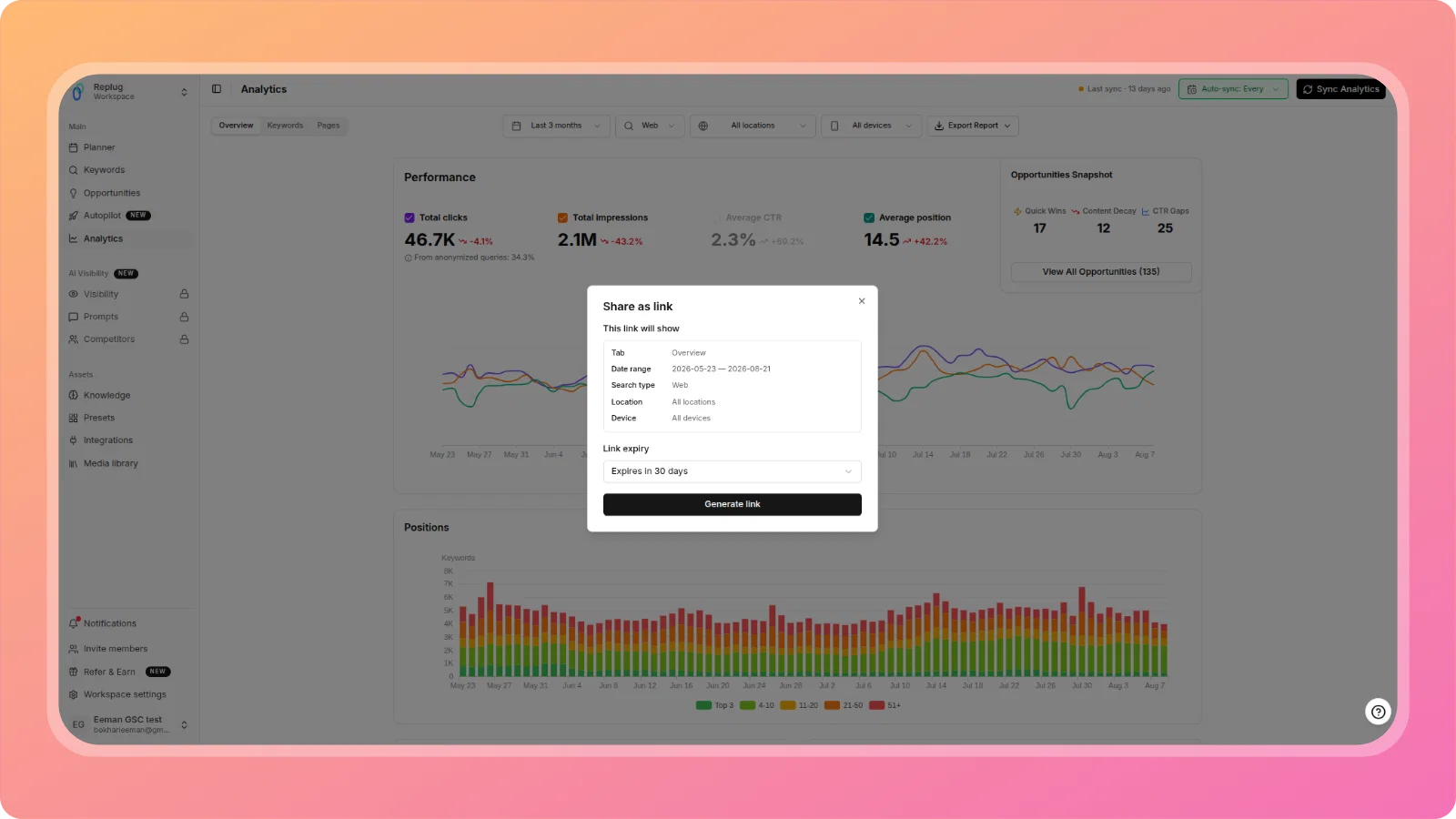
Generate a read-only, no-login-required link to your current Analytics view. The link preserves your exact tab, date range, search type, location, and device filters, and you control how long it stays live with a configurable expiry. Manage all your active share links and revoke any of them directly from the same panel.
📊 AI Visibility - Export Top Sources & Source Gaps
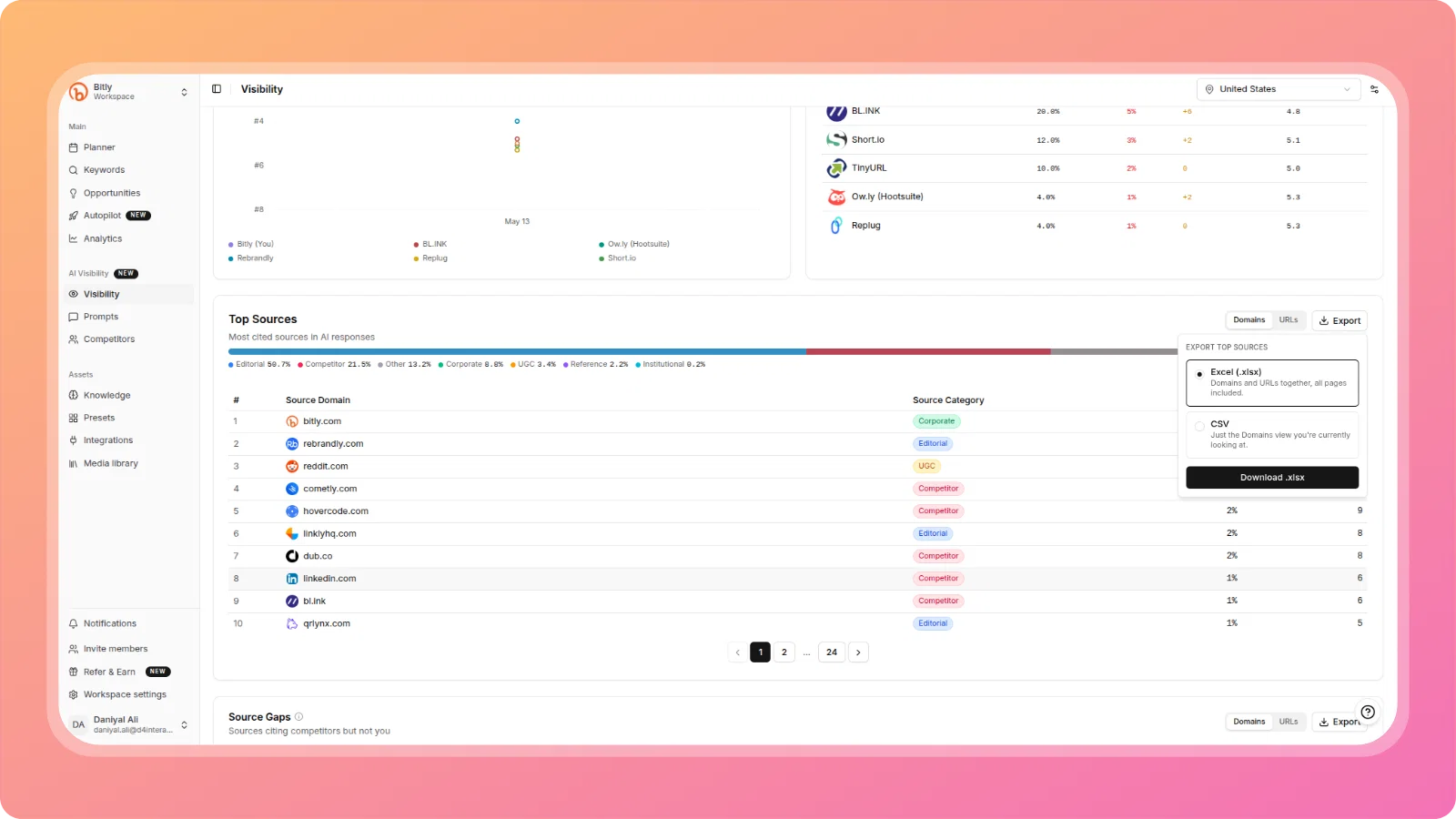
Both the Top Sources and Source Gaps tables in AI Visibility now support export as Excel or CSV, with Domains and URLs included together in a single file. Source Gaps exports give marketing a ready-to-use outreach list of sources citing your competitors but not you; Top Sources exports give you the full underlying source data to work with outside the app.
🗂️ "Manage Columns" Control for Planner List View
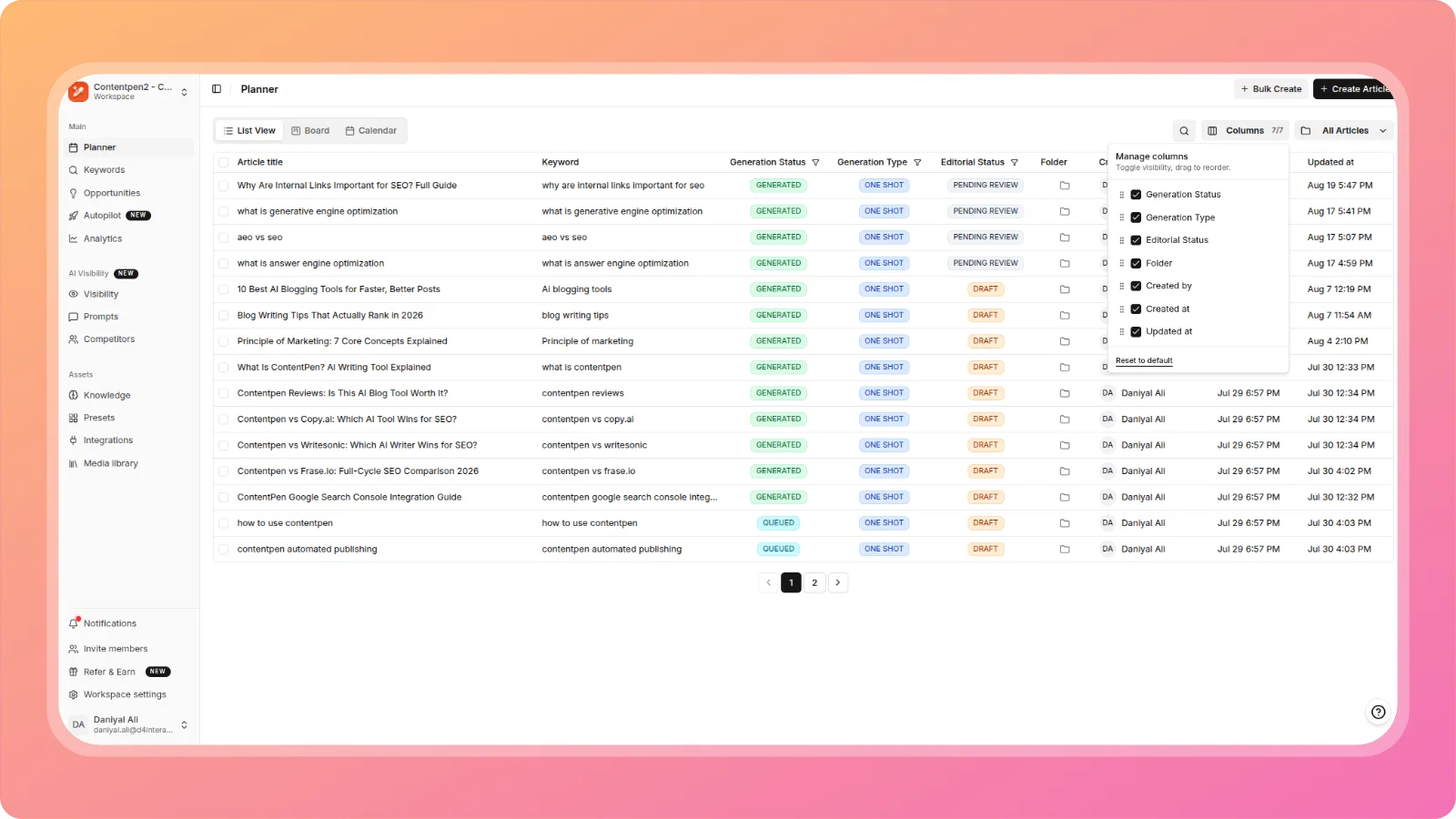
The Planner's List View now has a Columns control that lets you toggle which columns are visible (Generation Status, Generation Type, Editorial Status, Folder, Created by, Created at, Updated at) and drag to reorder them, so you only see what's relevant to your workflow. Reset to default at any time.
📝 "Save as Draft" for ContentStudio Social Publishing
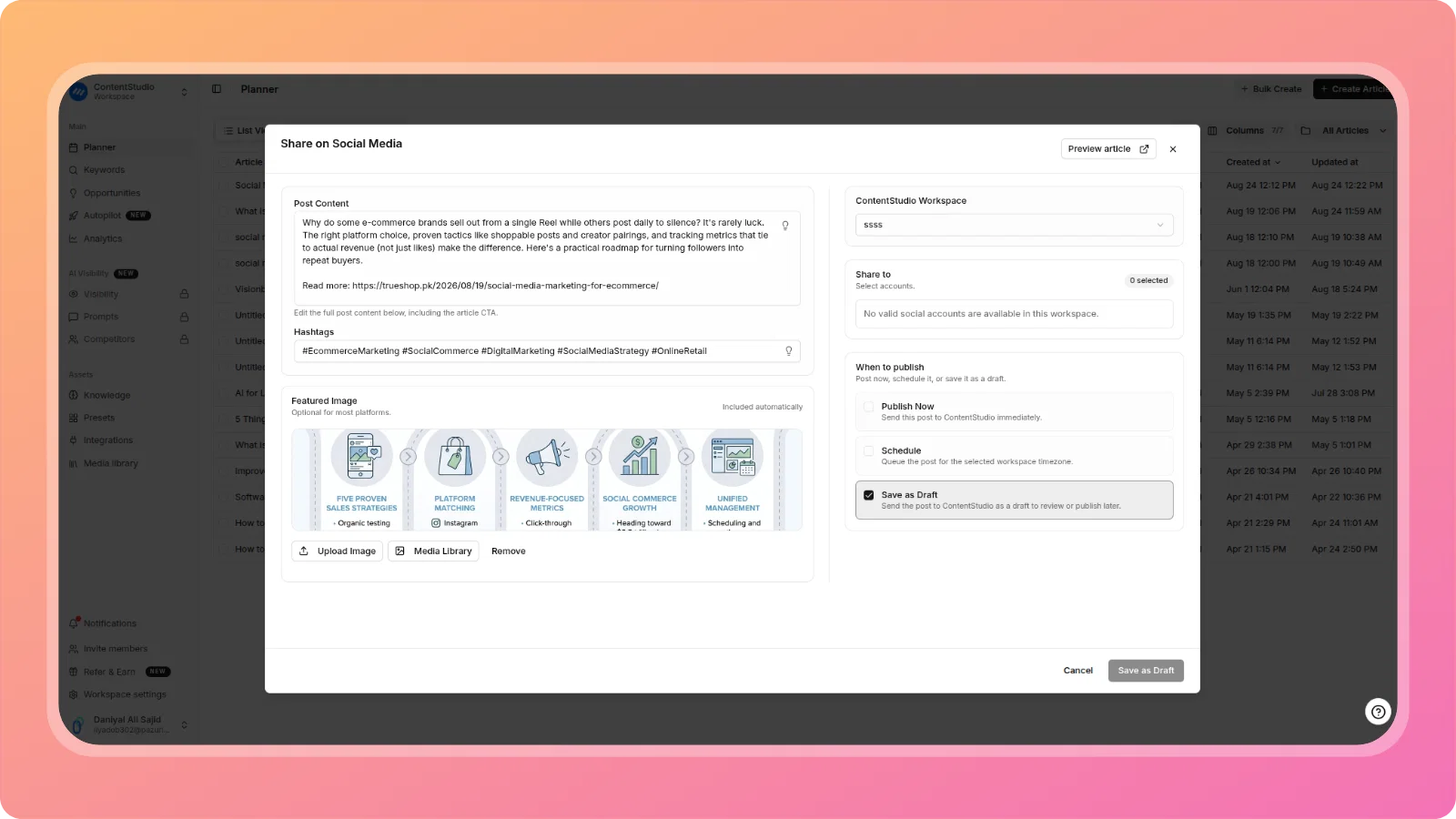
When sharing an article's social post through ContentStudio, you can now choose Save as Draft alongside Publish Now and Schedule. The post is sent to ContentStudio as a draft for review or handoff before it goes live, instead of being forced to publish or schedule immediately.
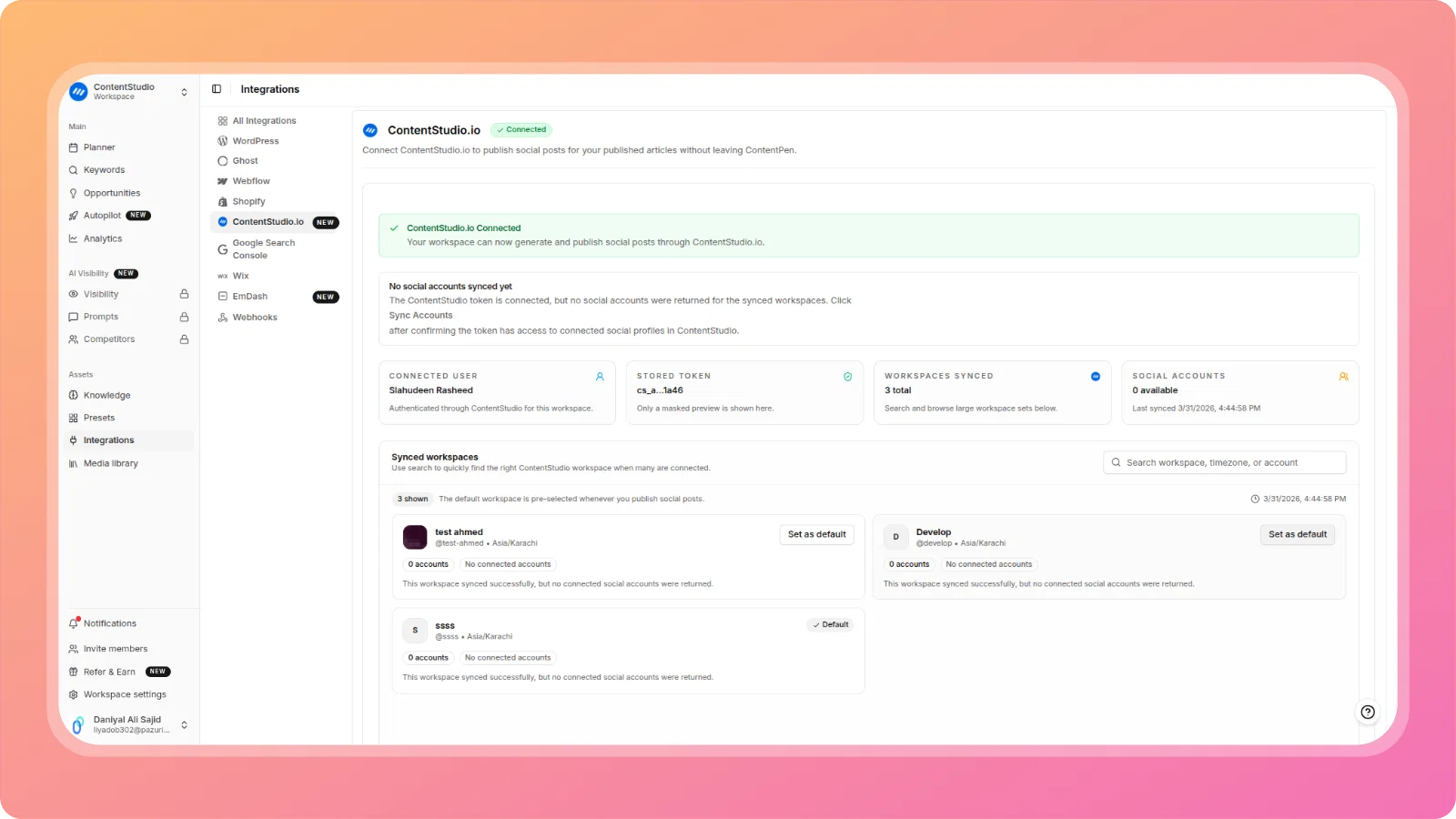
🏢 Set a Default ContentStudio Workspace
If you have multiple ContentStudio workspaces synced to ContentPen, you can now mark one as the default. When you publish a blog's social posts, ContentPen uses your default workspace automatically instead of asking you to pick one every time.
🔧 Improvements & Fixes
Article Generation Quality:
- Selected article title not passed to generation - Fixed. The title you select from the suggested titles list, or type in yourself, is now correctly used as the article's title during generation, keeping the output aligned with your chosen angle.
- Per-section word budget and H2 cap - The generation pipeline's per-section word budget is now properly funded, and SERP topic coverage can override the H2 cap when the topic genuinely requires more sections.
- External linking over-indexing on doi.org - Fixed the root cause: external linking search queries were hard-coded to a "research paper" category, and the one-link-per-domain rule was prompt-only with no code enforcement, letting the doi.org resolver front thousands of publishers and defeat deduplication. All three underlying issues have been corrected.
- Article generation failing with CONTENT_FILTER errors across multiple providers - Fixed. Generation no longer silently fails on safety-filter false positives, unblocking legitimate content that didn't actually violate any policy.
Planner:
- Horizontal scrollbar unreachable without scrolling to the bottom of the page - Fixed. A pinned, always-reachable horizontal scrollbar has been added to the Planner table, so hidden columns (Folder, Created by, Created at, Updated at) are accessible without an extra scroll-down step.
- Column filters re-filtering on every click instead of on "Apply" - Fixed. Selecting filter options in Planner columns like Generation Status no longer re-filters the table instantly after each click; changes now apply only when you confirm with an Apply action.
Editor:
- Upload Image modal opening behind Media Library modal - Fixed a z-index issue that caused the Upload Image dialog to render underneath the Media Library modal, making it unusable.
Integrations:
- Clicking "Verify Connection" on WordPress logs the user out - Fixed. Verifying a WordPress connection no longer takes you back to the login screen.
We're committed to making Contentpen.ai the best content creation platform for your needs. Stay tuned for more exciting features and improvements!
The ContentPen.ai Team