🚀 Brand Imagery, Smart Media Library Matching, Infographic Generation, Content Refresh Upgrade, EmDash Integration & More
We're excited to announce Brand Imagery, letting you set your logo and brand colors once and have them applied across every image ContentPen creates, plus Smart Media Library Matching, Infographic Generation, a significantly improved Content Refresh flow, EmDash CMS integration, mobile responsiveness, and a large round of fixes across SEO scoring, presets, and article generation.
✨ New Features
🎨 Brand Imagery - Branded Image Generation
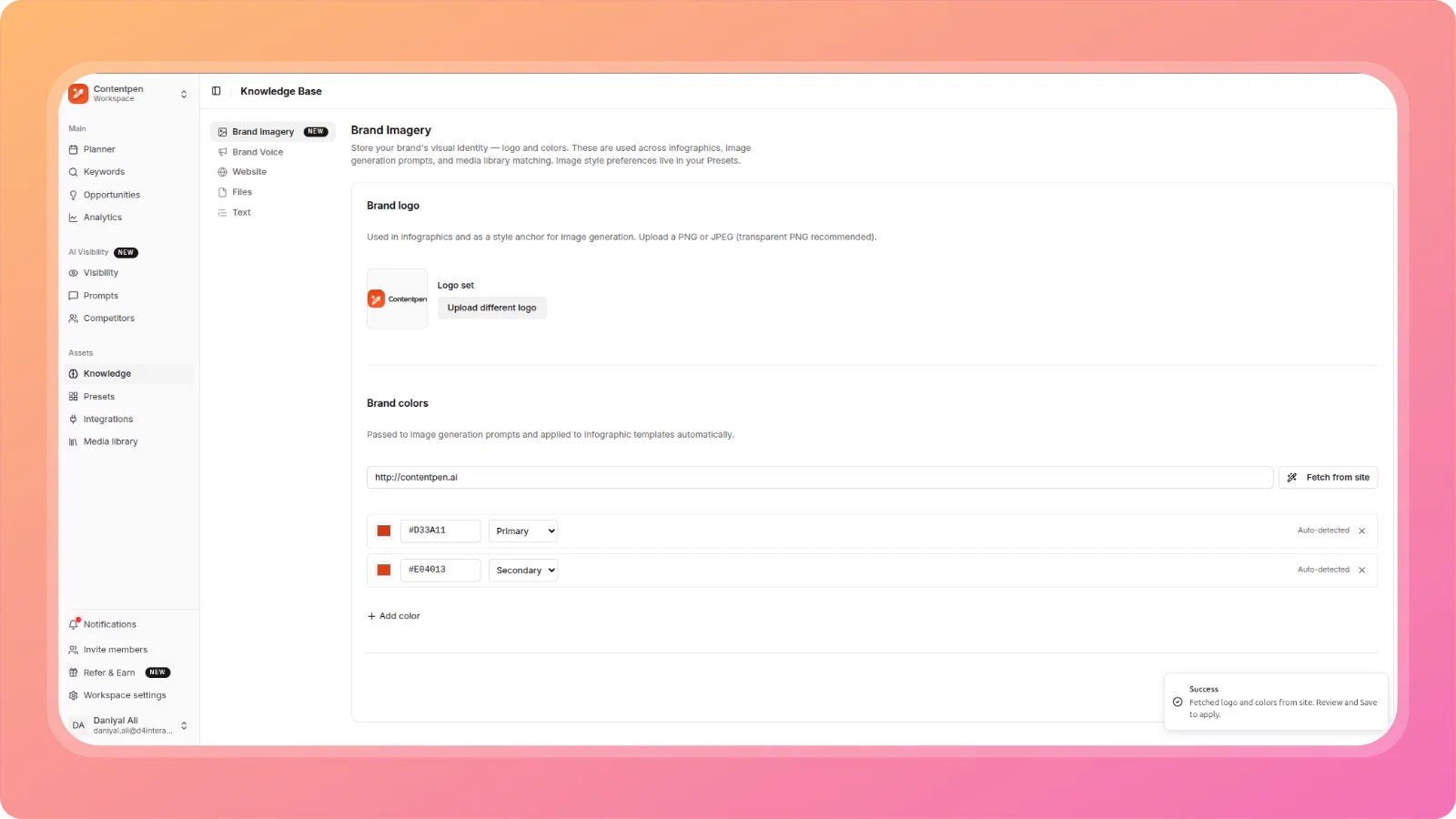
Set up your brand's visual identity once in the Knowledge Base, and have it applied across every image ContentPen generates.
Head to Knowledge Base → Brand Imagery, paste your website URL and click "Fetch from site" to auto-detect your primary and secondary colors, or add them manually. Once set up, ContentPen takes over automatically: your logo and brand colors are injected into every image generated - featured images, in-article images, and infographics - with zero per-article configuration needed.
Infographics take this a step further, rendering directly from your article content with the correct template detected automatically based on content structure, branded with your logo and colors out of the box.
🖼️ Featured Image — Generation Method Selector
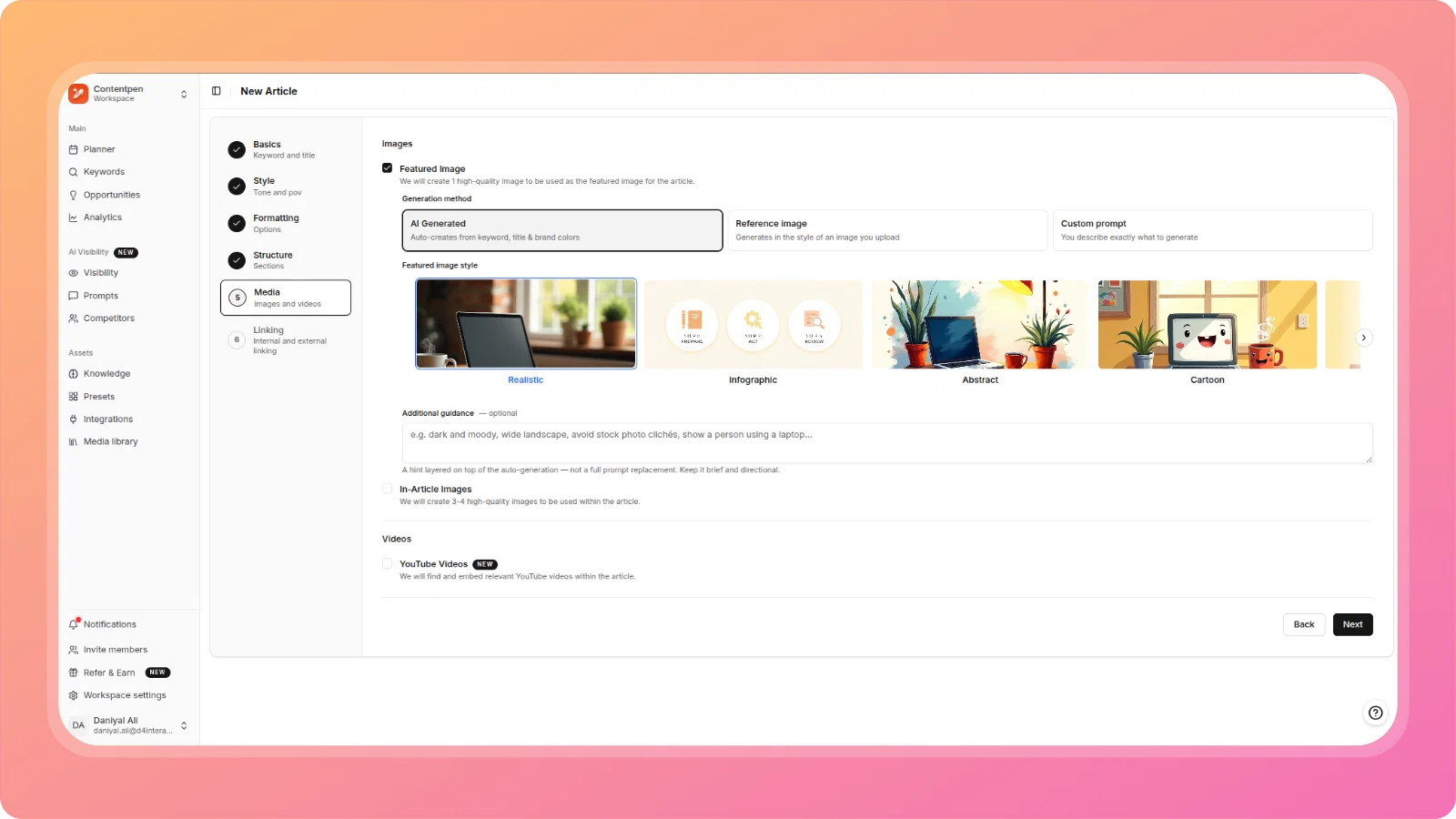
Choose exactly how your featured image is created, per article — with three modes:
- AI Generated — Auto-creates the image from your keyword, title, and brand colors. Pick from style options: Realistic, Infographic, Abstract, Cartoon, Flat Design, and more. Add optional guidance to steer the output (e.g. "dark and moody, wide landscape").
- Reference image — Upload a PNG, JPG, or WebP (up to 5MB) and ContentPen generates an image that matches its style - not its content. Useful for maintaining a consistent visual feel across your blog.
- Custom prompt — Write the exact prompt yourself. Your prompt is used as-is to generate the featured image, giving you full creative control.
All three method preferences are saved to your Preset for future articles.
📊 Infographic Generation
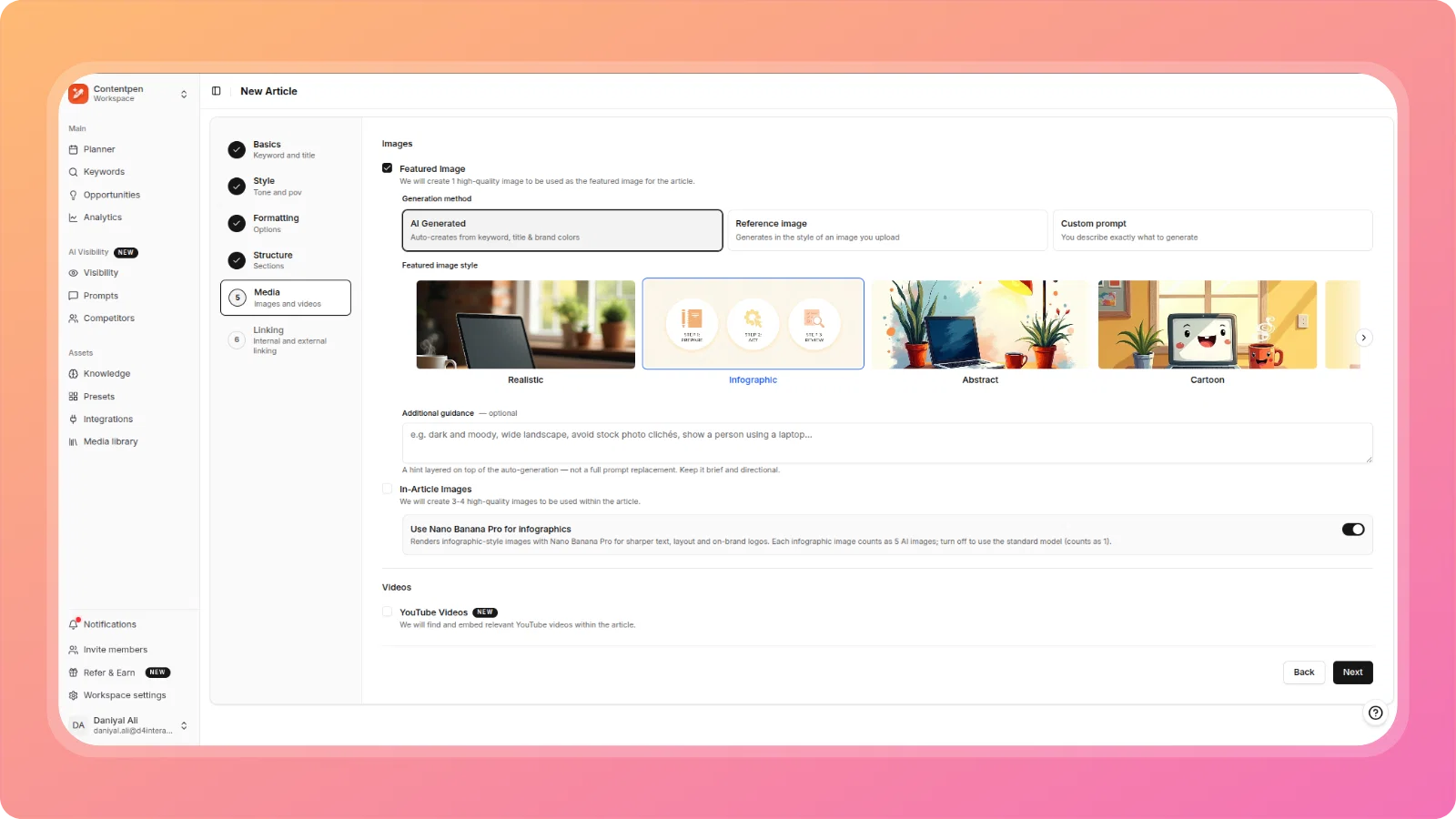
You can now generate branded infographics directly with ContentPen - no design tools required.
Infographic is now available as a style option in both the Featured Image carousel and the In-Article Images carousel, alongside Realistic, Abstract, and Cartoon. Select it for either, and ContentPen auto-generates a branded infographic from your article content, with the correct template detected automatically based on content structure and placed in the most relevant section. Your logo and brand colors from Brand Imagery are applied automatically, no additional configuration is needed beyond selecting the tile.
🔍 Smart Media Library Matching
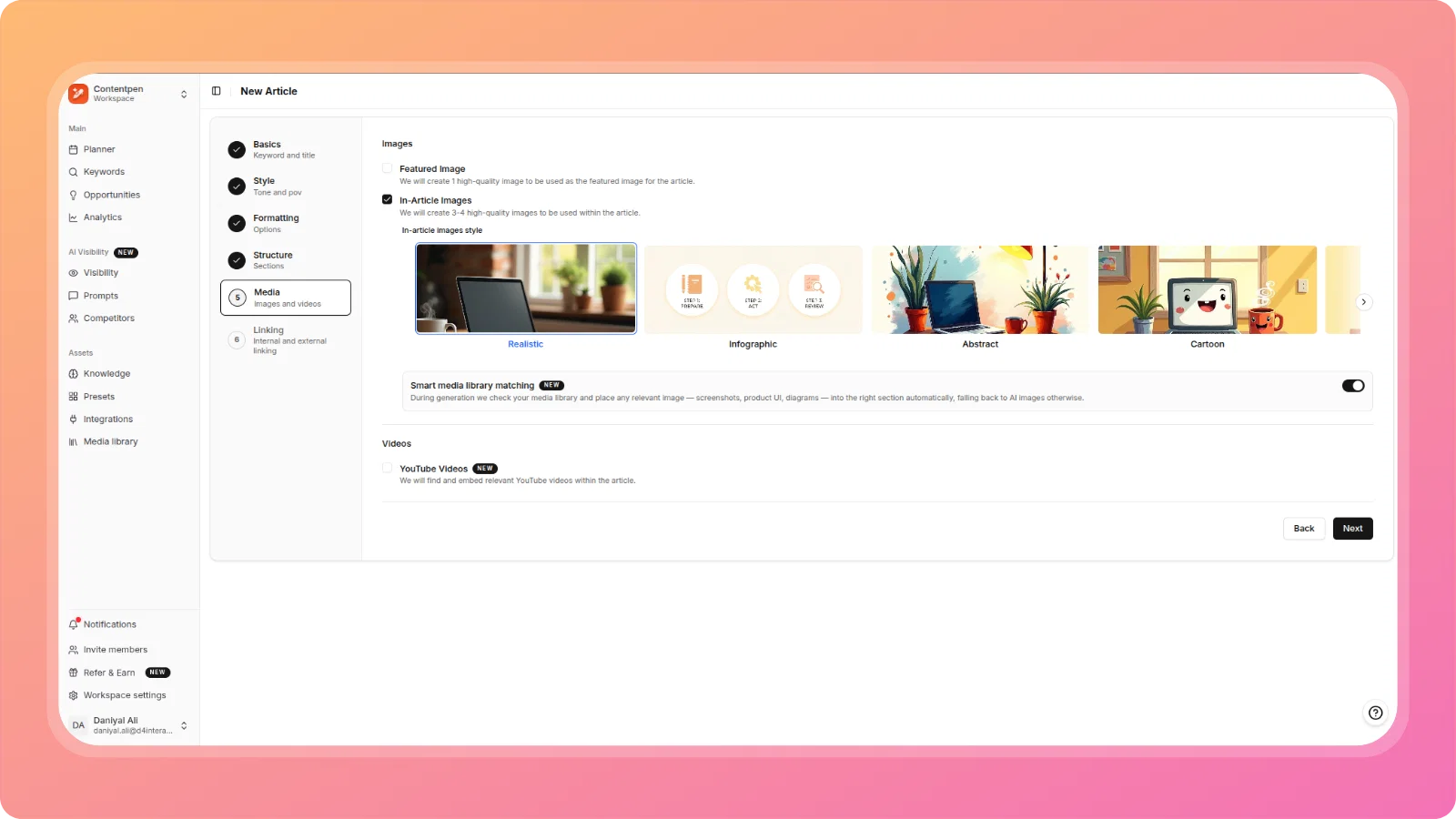
ContentPen can now check your media library during article generation and automatically use your uploaded images - tool screenshots, product UI captures, diagrams - in the right article sections instead of always generating new AI images.
Enable the toggle in the Media step of the article wizard. ContentPen will scan your library and place matched images in the editor after generation. Real, credible images where you have them - AI-generated images where you don't.
Newly uploaded images that haven't been tagged yet are automatically processed using AI vision to generate a description, which powers accurate section matching during future generations.
🔗 EmDash CMS Integration
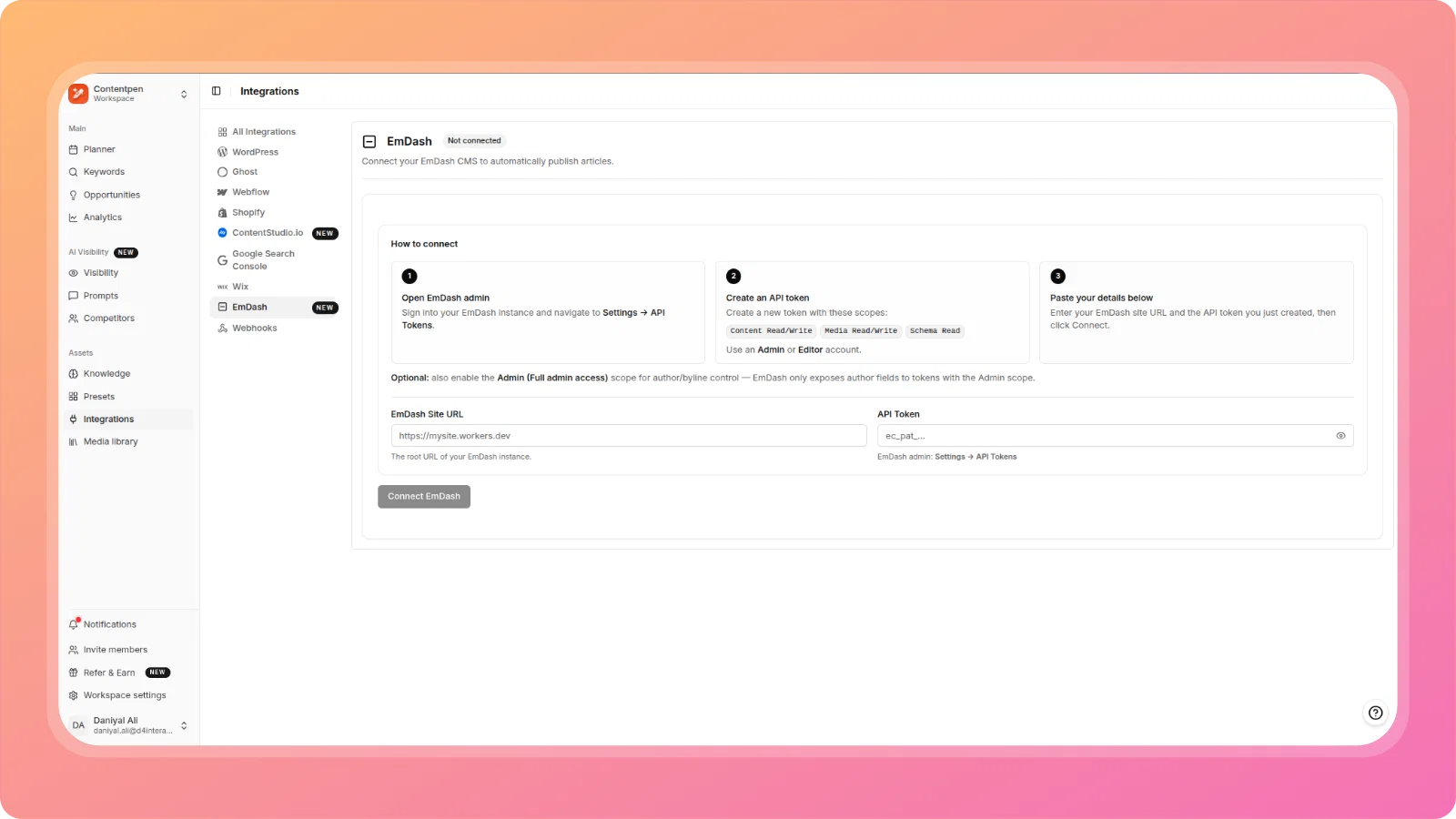
ContentPen now integrates directly with EmDash, the headless CMS platform.
Connect your EmDash instance via the Integrations panel, verify the connection, and publish articles directly from ContentPen to your EmDash site.
♻️ Content Refresh — Improved Flow
The Content Refresh flow has been significantly upgraded across three dimensions:
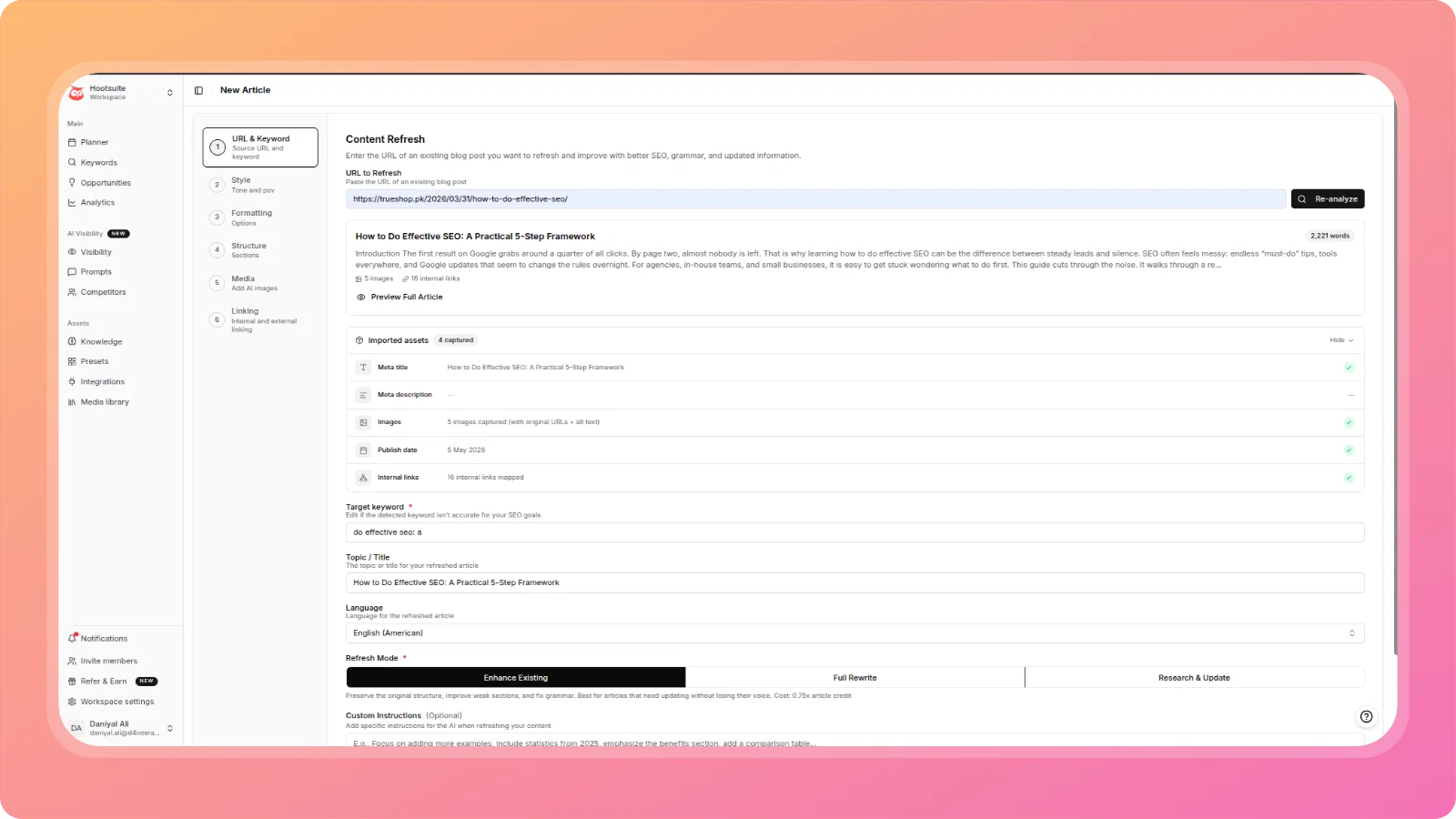
Fidelity layer — Imported assets: When you paste a URL to refresh, ContentPen now captures and preserves all page assets — meta title, meta description, images (with source URLs and alt text), publish date, and internal links. All captured assets are shown in a structured panel before you proceed, so the AI rewrites with full context and nothing is lost.
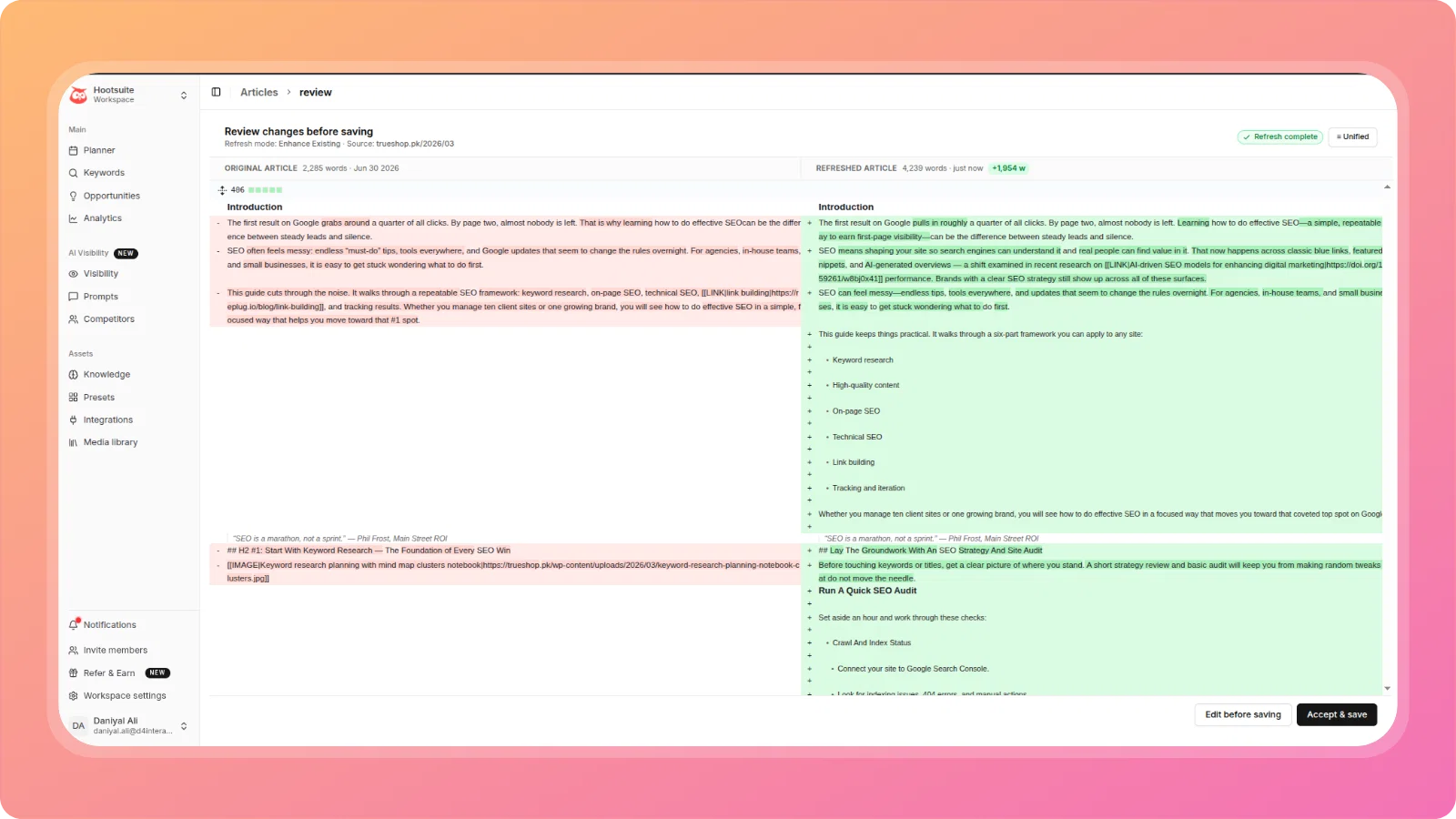
Review layer — Side-by-side comparison: Before you save, ContentPen now shows a full review screen comparing your original article against the refreshed version, with word count change, a visual diff (additions in green, removals in red), and a toggle between Unified and Split view. Review every change before committing, with the option to refresh again if needed.
New refresh mode — Research & Update: A third refresh mode is now available alongside Enhance Existing and Full Rewrite. Research & Update enriches your content with current data and updated information while keeping your existing structure intact - ideal for factual posts that need freshening without a full rewrite.
📱 Mobile Optimization
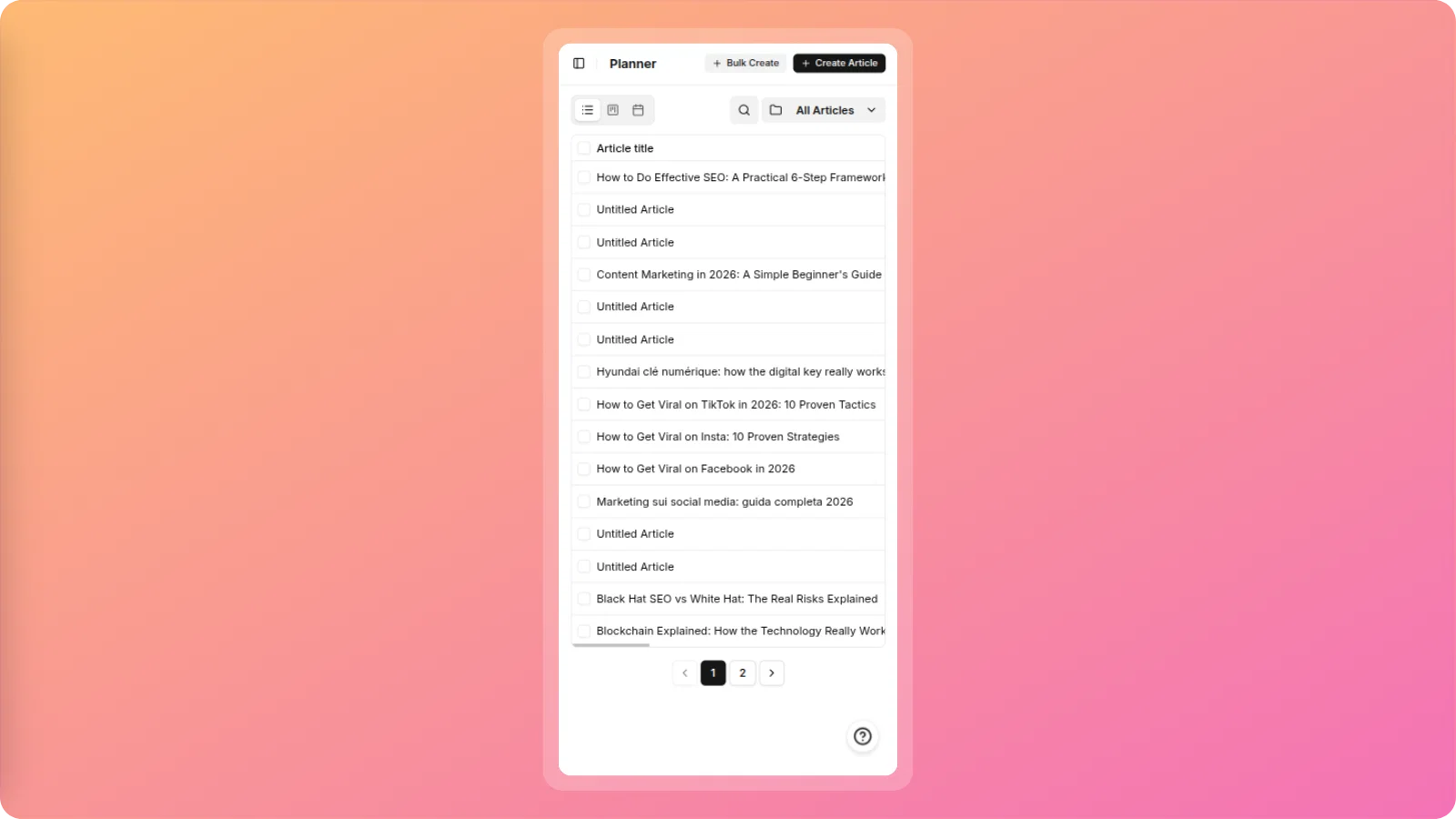
The ContentPen web app (app.contentpen.ai) is now fully responsive across all core screens.
Layouts, navigation, text, and interactive elements have been optimized for phones and tablets. You can now comfortably browse your keyword library, manage articles, and navigate the platform from any mobile browser.
🔧 Improvements & Fixes
Article Generation:
- YouTube video embed logic improved — ContentPen now first searches YouTube using the article's meta title to find the most relevant video for the whole article and embeds it after the introduction. Only falls back to heading-level search if no suitable article-level result is found.
- Conclusion heading generated in wrong language + prompt instructions leaking into output — Fixed. The conclusion heading is now generated in the correct article language, and internal LLM prompt instructions no longer appear in user-facing article output.
- Custom instructions with attached file not applied — Fixed an issue where a
.docxfile uploaded via Custom Instructions (containing interlink URLs and anchor texts) was not being passed to the generation pipeline. Custom instruction files are now correctly parsed and acted upon during generation. - Chinese articles generated with single-byte punctuation — Fixed. Chinese articles now use correct double-byte fullwidth punctuation characters (
,;) instead of ASCII equivalents (,;).
SEO Score Panel:
- Internal links showing 0 despite links being present — Fixed the internal link detection logic in the SEO Score panel. It now correctly counts links that are present in the article content.
- Image Alt Tags scoring 4/4 on articles with no images — Fixed a false positive where the Image Alt Tags check returned a full score on imageless articles. It now correctly scores 0 or returns N/A when no images are found.
- External Authority Links scoring 0 despite authoritative domains present — Expanded the authoritative domain recognition list beyond
.govand.edu. Links to recognized high-authority domains (including industry publications and research sources) are now correctly counted.
Presets:
- External linking settings and TOC sub-options not persisting — Fixed. External Linking toggle state, included/excluded domains, and TOC sub-options (List Style, Depth, Title) are now correctly saved to presets and applied when a preset is selected in the article wizard.
- Language and Target Country fields added to Presets — Language and Target Country can now be saved in a preset and are pre-populated in Step 1 (Basics) when the preset is applied. Removes recurring manual re-entry for workspaces that consistently create content in a specific language and country.
GEO Score:
- FAQ and Key Takeaways reported as missing despite being present — Fixed the section detection logic to recognize non-English equivalents of Key Takeaways and FAQ headings, including Chinese-language variants.
Content Refresh:
- "Network Error" on article refresh — Fixed. The Content Refresh flow no longer throws a network error when processing existing articles.
- Incorrect word count for Chinese articles causing "Article Too Short" warning — Fixed the word count calculation for Chinese-language content. The refresh flow no longer incorrectly reports Chinese articles as too short.
Authentication & Access:
- Login page flickering before the dashboard loads — Fixed the unwanted re-render of the login page between the loading state and the dashboard. The transition is now clean: login → spinner → dashboard.
- Onboarding blocked at GSC step with non-functional Skip — Fixed. Users who have no Google Search Console properties, or whose properties fail to load, can now successfully skip the GSC step and complete onboarding without being blocked.
Workspace & Notifications:
- Notifications from one workspace appearing in another — Fixed. Notifications (including article completion toasts) are now scoped to their originating workspace and will not appear while viewing a different workspace.
Ask AI:
- Ask AI not accessing full article details and metadata — Fixed. The Ask AI panel now receives the complete set of article details as structured context on every call, including SEO fields, meta title, meta description, and other metadata, and the complete article body.
Team member:
- fal.ai API key not accessible to team members — Fixed. A workspace owner's configured fal.ai API key is now correctly shared with and surfaced to all team members in the same workspace, removing the incorrect "fal.ai key required" warning in the article wizard.
Meta Description:
- Auto-generated meta description exceeding 160 character limit — Fixed. The generation pipeline now respects the 160-character limit for meta descriptions, consistent with the character counter already shown in the SEO & Article Settings panel.
We're committed to making Contentpen.ai the best content creation platform for your needs. Stay tuned for more exciting features and improvements!
The ContentPen.ai Team