🚀 Bulk Publishing, CSV Article Creation, 3 New Opportunities Detectors, Combined SEO/GEO Fix, Paragraph Length Control, Readability Level & Much More
We're excited to announce a complete overhaul of the Planner — scheduling, bulk publishing, and bulk CSV article creation — plus three new automated Opportunities detectors (Competitor Gap Analysis, High Potential Content Recovery, and Keyword Cannibalization Detection), a combined SEO & GEO "Fix with AI" modal, Content Refresh CMS sync for externally-published posts, a redesigned Links panel with live link health, and a very large round of quality fixes across article generation, formatting, and scoring.
✨ New Features
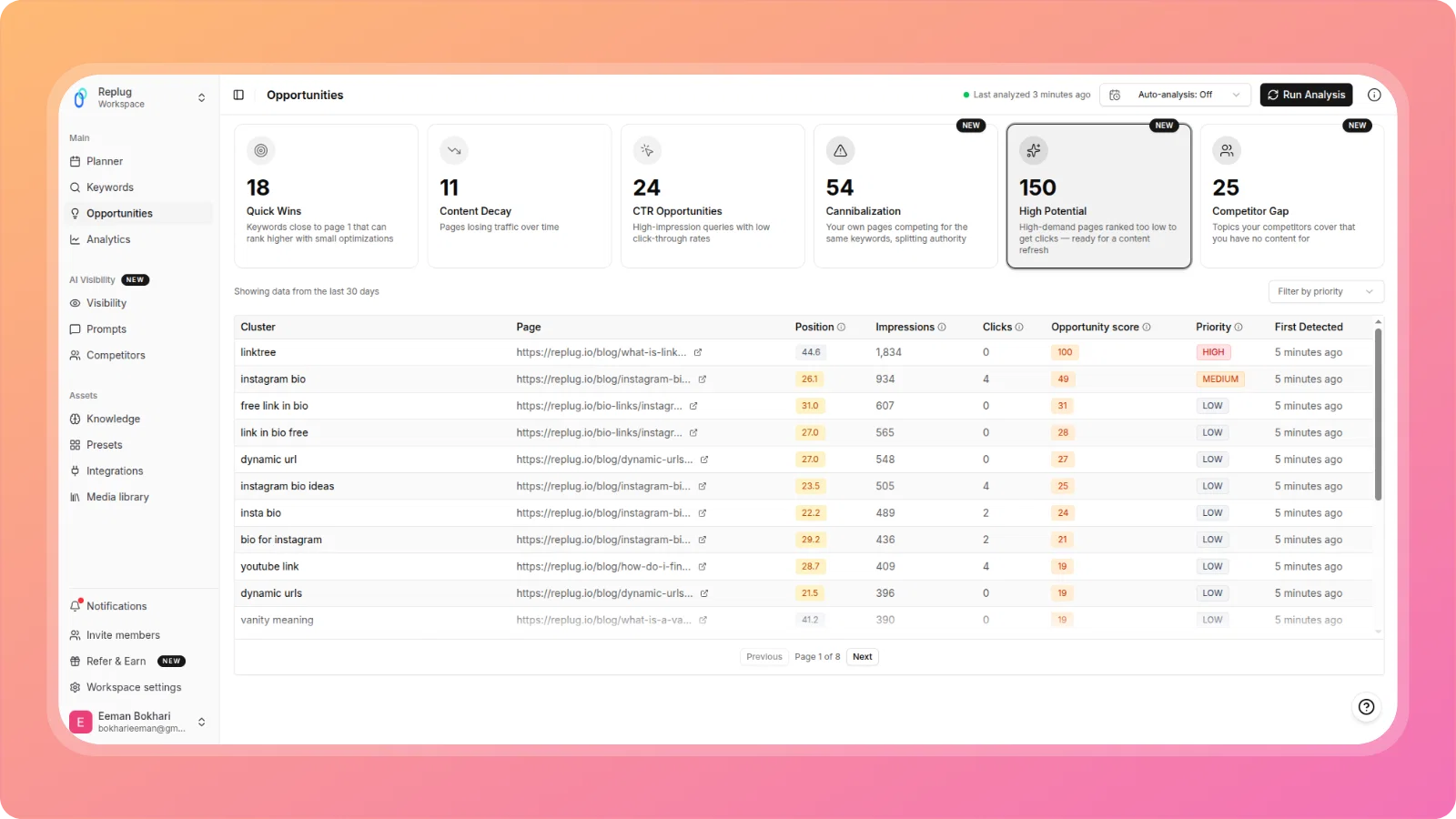
📈 High Potential Content Recovery
A new Opportunities detector identifies keywords ranked in positions 21–50 with high impressions but very low clicks, topics where content exists but is too weak to compete. These surface directly in Opportunities with a clear path to refresh or regenerate.
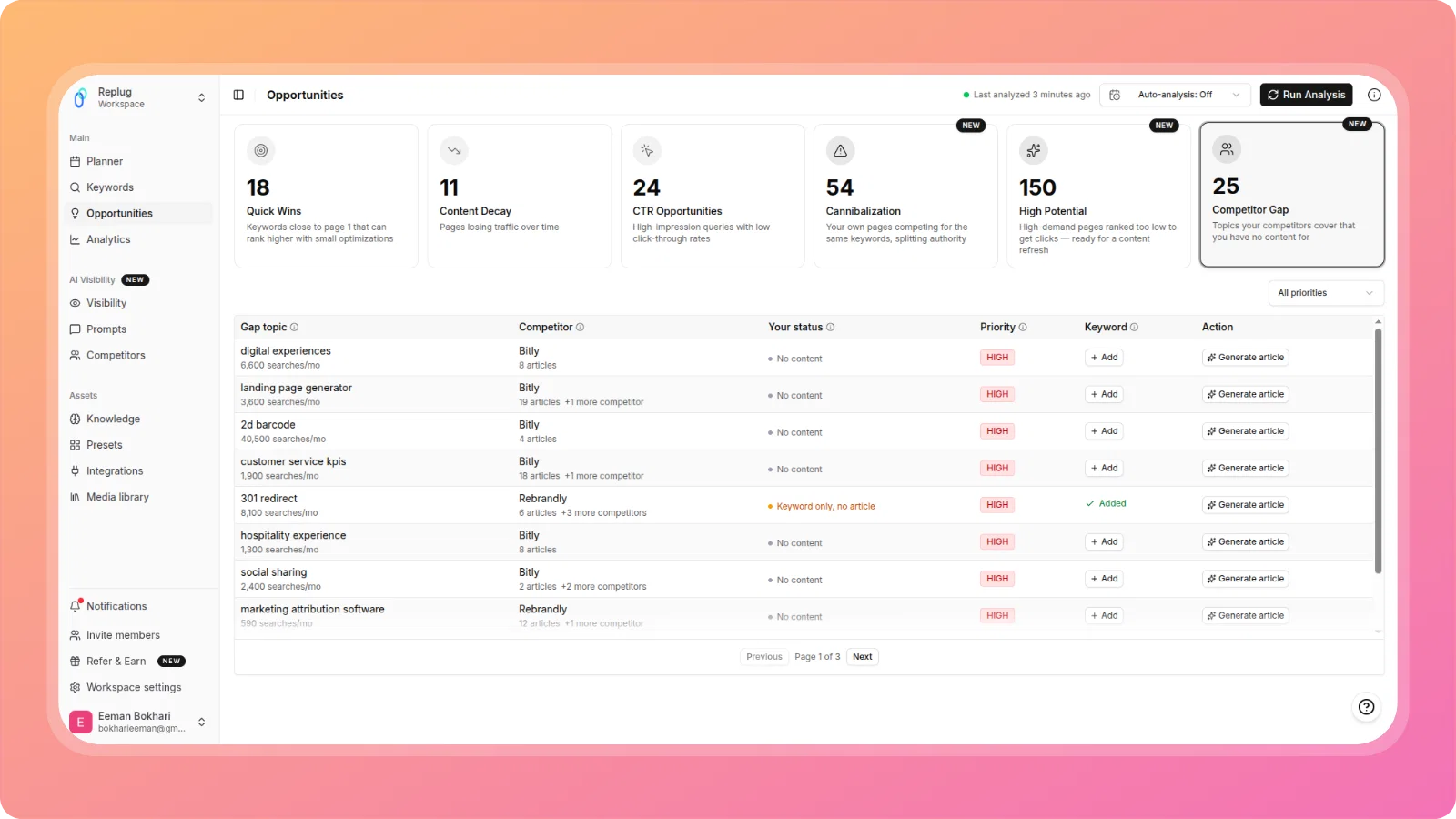
🕵️ Competitor Gap Analysis
ContentPen now automatically identifies topics your competitors rank for that you have no content on. Using the competitor names already saved in your Knowledge Base, it fetches their public sitemaps, extracts topics from URL slugs, and compares against your published articles and keyword clusters, no additional setup required.
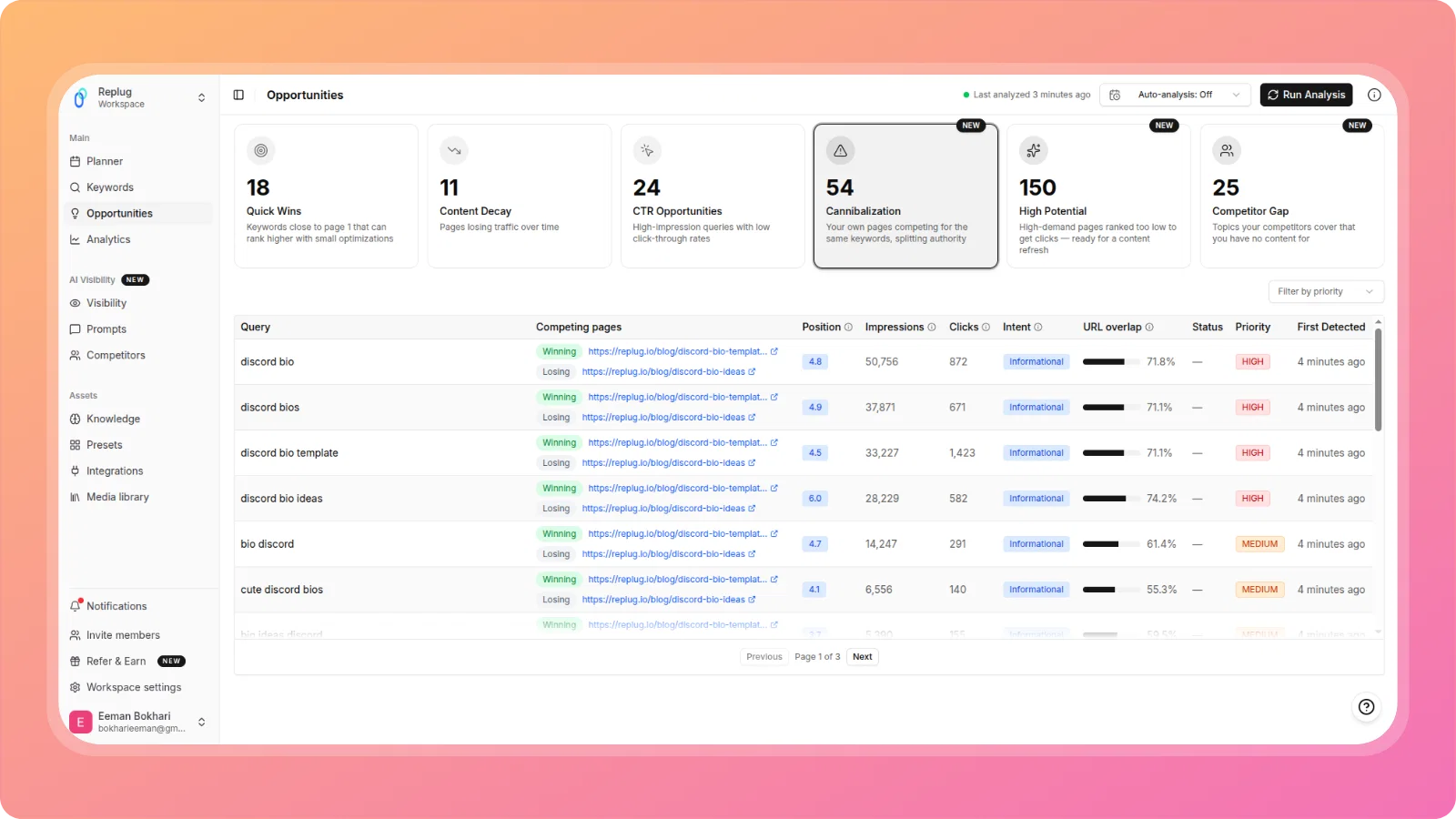
⚔️ Keyword Cannibalization Detection & Resolution
ContentPen now detects when two or more of your own pages compete for the same search query and split ranking authority. Conflicts surface in Opportunities with two resolution paths: Merge the pages into one, or Differentiate by refocusing each page on a distinct angle.
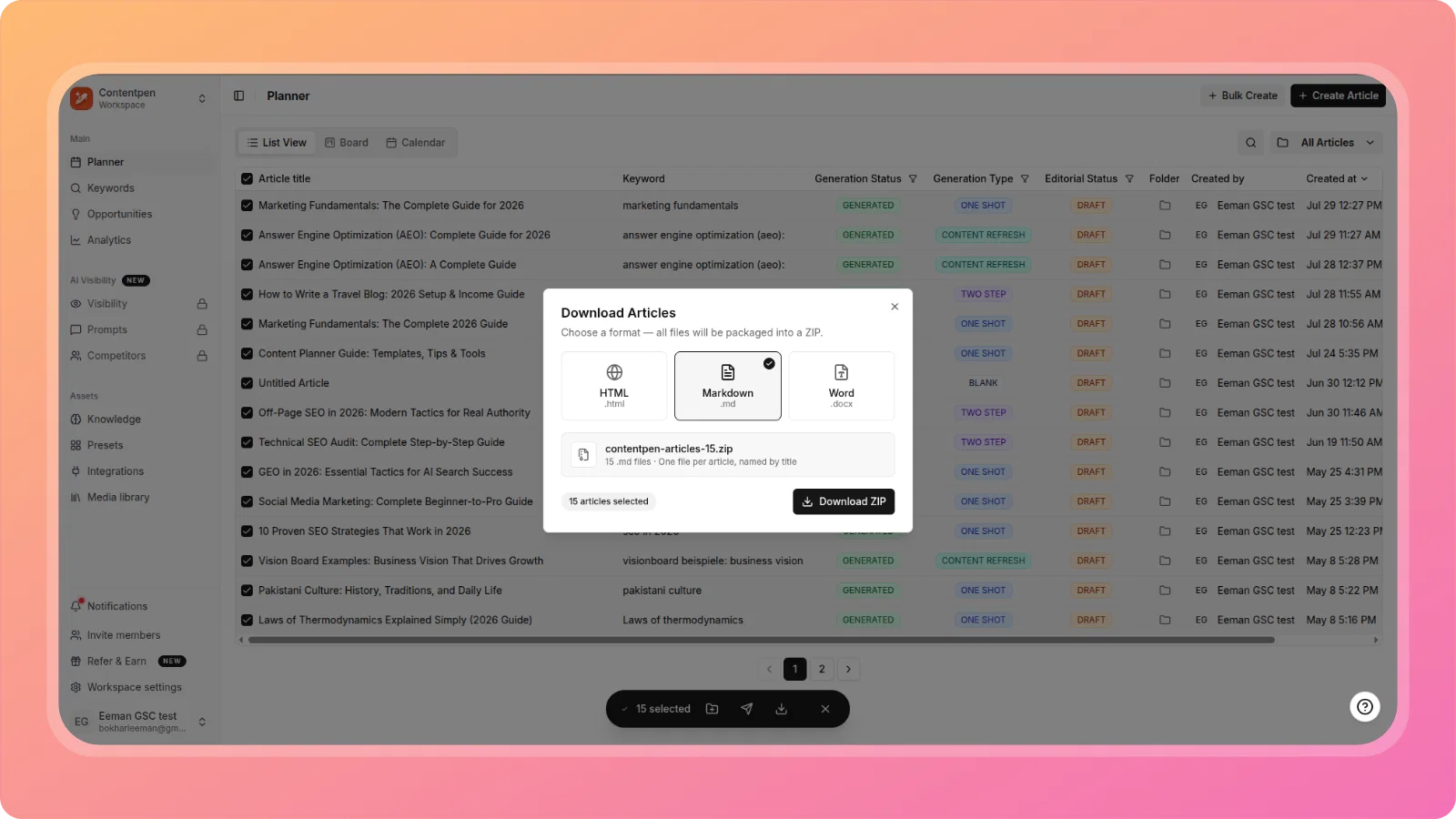
📦 Bulk Download Articles as ZIP from Planner
Select multiple articles in the Planner, choose HTML, Markdown, or Word format, and download them all packaged into a single ZIP — one file per article, named by title.
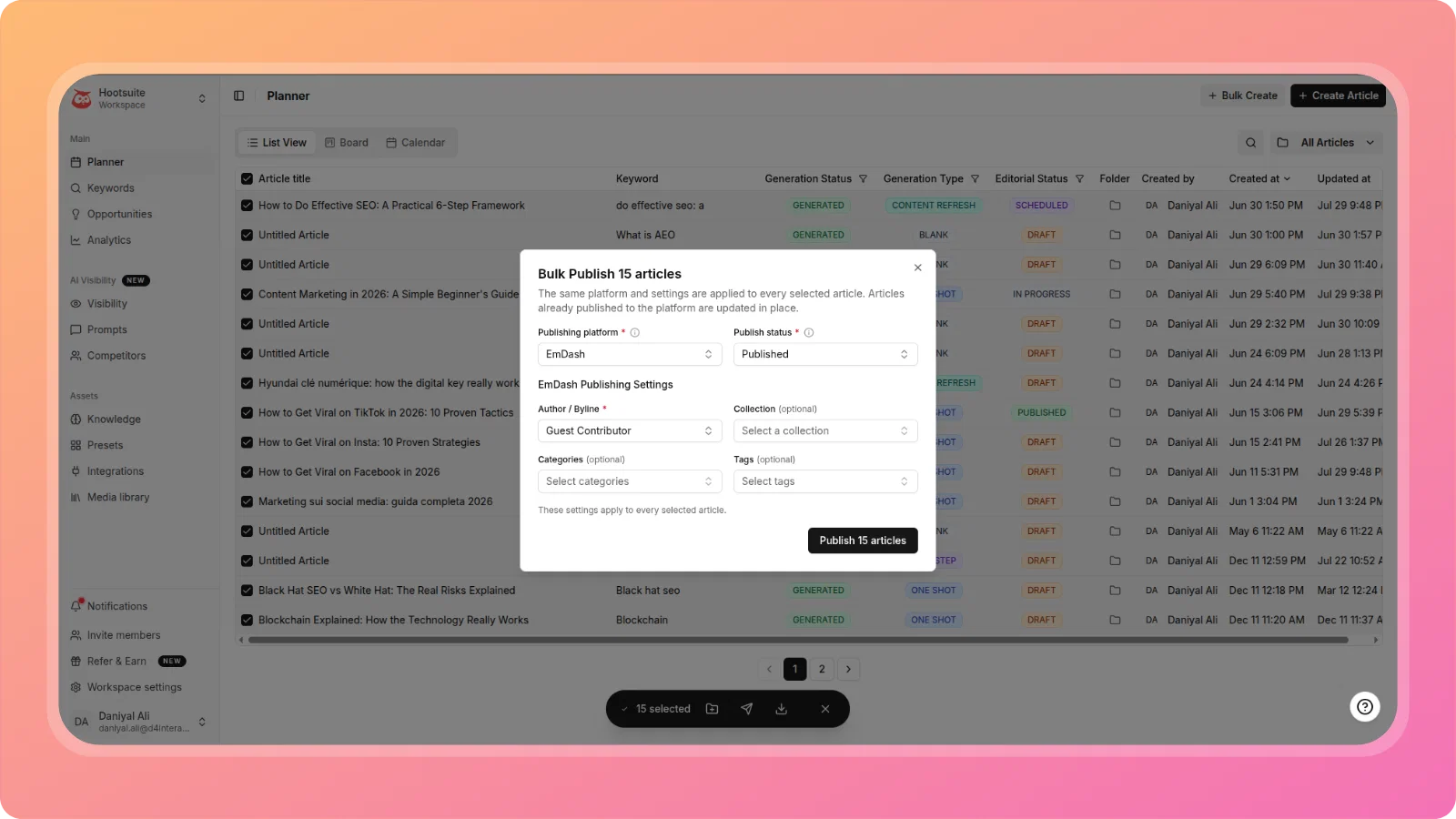
🚀 Bulk Publish Articles to CMS from Planner
Publish multiple articles to WordPress, Wix, Ghost, Webflow, Shopify, or EmDash in one operation directly from the Planner's floating action bar. Configure author, categories, and post status once, and they apply across every selected article, with per-article progress tracking as the batch runs.
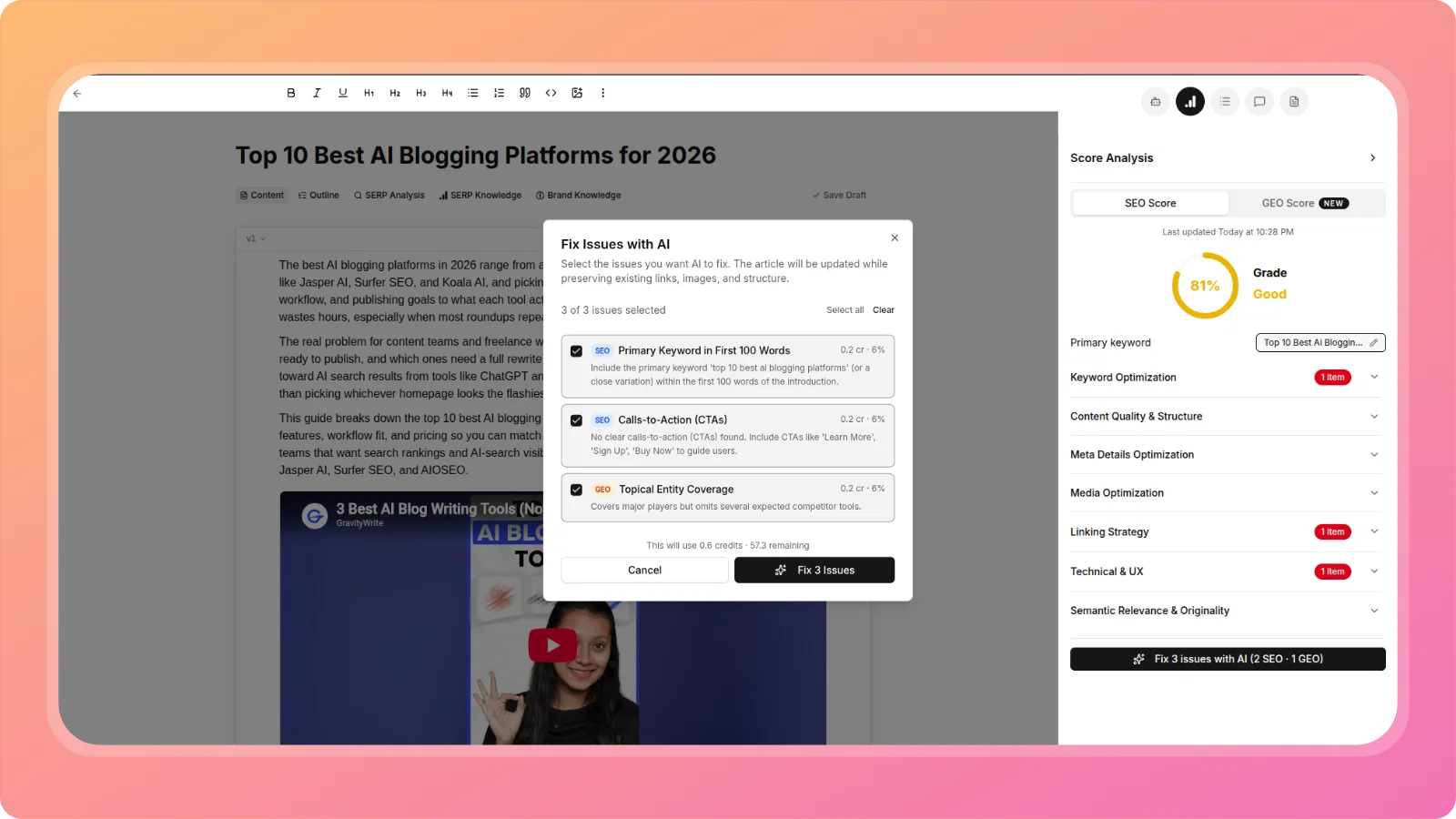
🔧 Fix Issues with AI — Combined SEO & GEO Modal
SEO Score now has its own "Fix with AI" capability, matching the existing GEO Score pattern, and critically, SEO and GEO issues are combined into a single modal. Select which failing checks to fix across both scores, and AI applies all fixes in one coordinated pass instead of separate, conflicting calls.
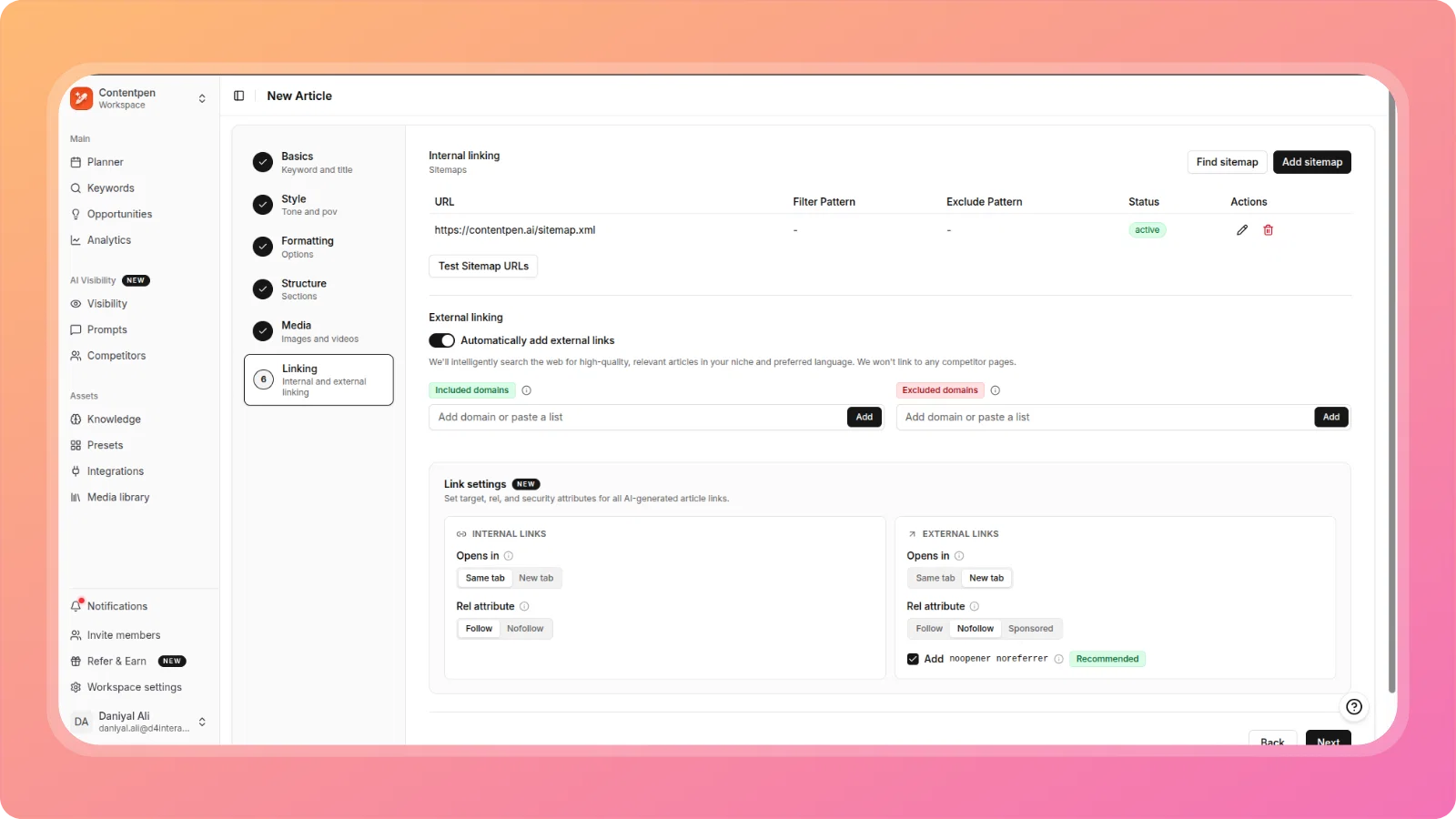
🔗 Link Behaviour Defaults — Target, Rel & Security Attributes
A new Link Settings panel in the article wizard's Linking step lets you configure default target (same tab / new tab) and rel attributes (follow / nofollow / sponsored) separately for internal and external links, plus a recommended noopener noreferrer security toggle for external links. Every AI-generated link in the article follows your configured defaults.
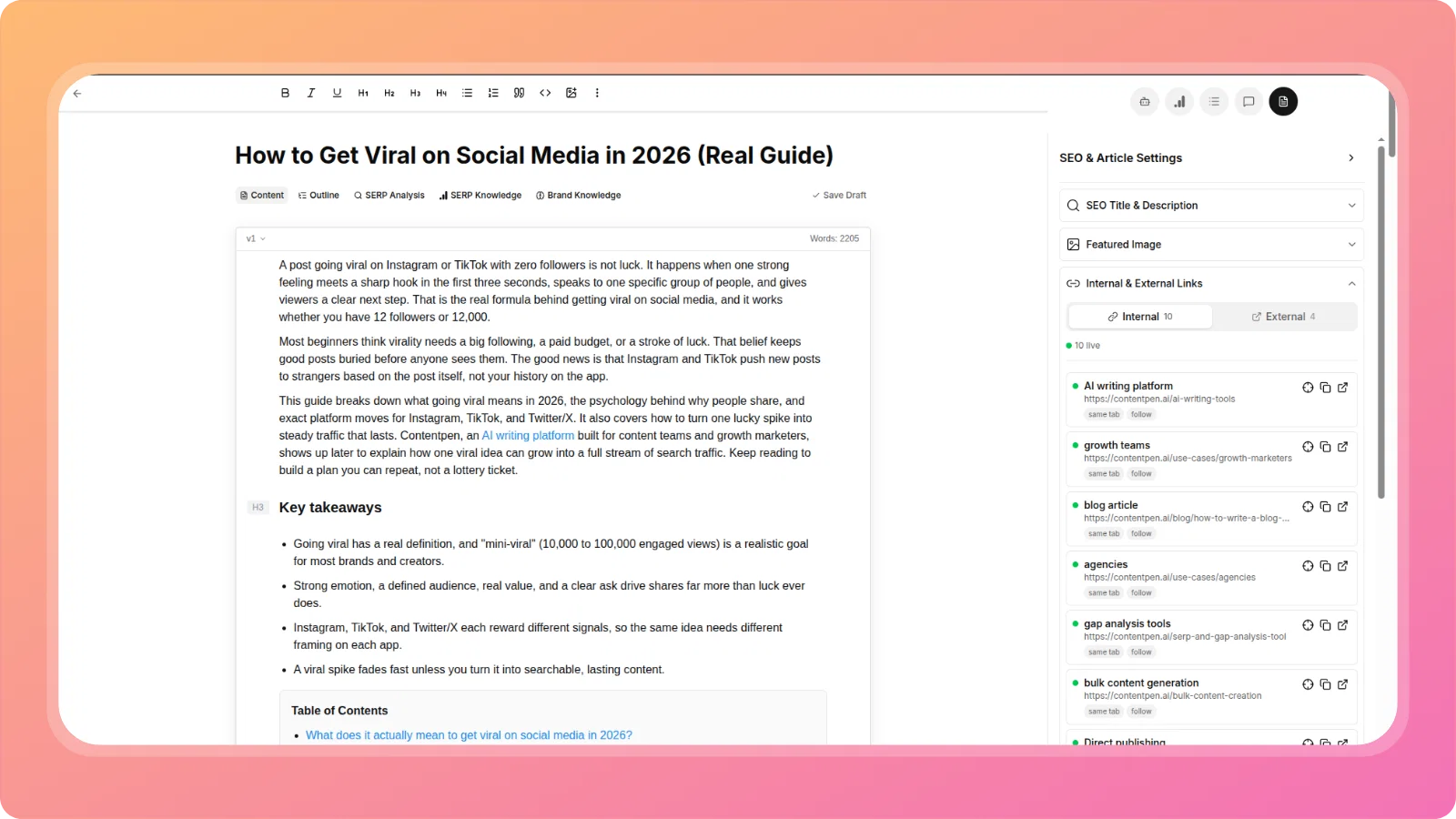
🔗 Internal & External Links Panel — Redesign & Link Health
The Internal & External Links section in the editor's document panel has been redesigned from a raw URL dump into a clean, tabbed interface (Internal / External counts shown separately). External links are now visible for the first time, and every link shows a live health status — live, redirect, or dead — so broken or redirected links are caught without leaving the editor.
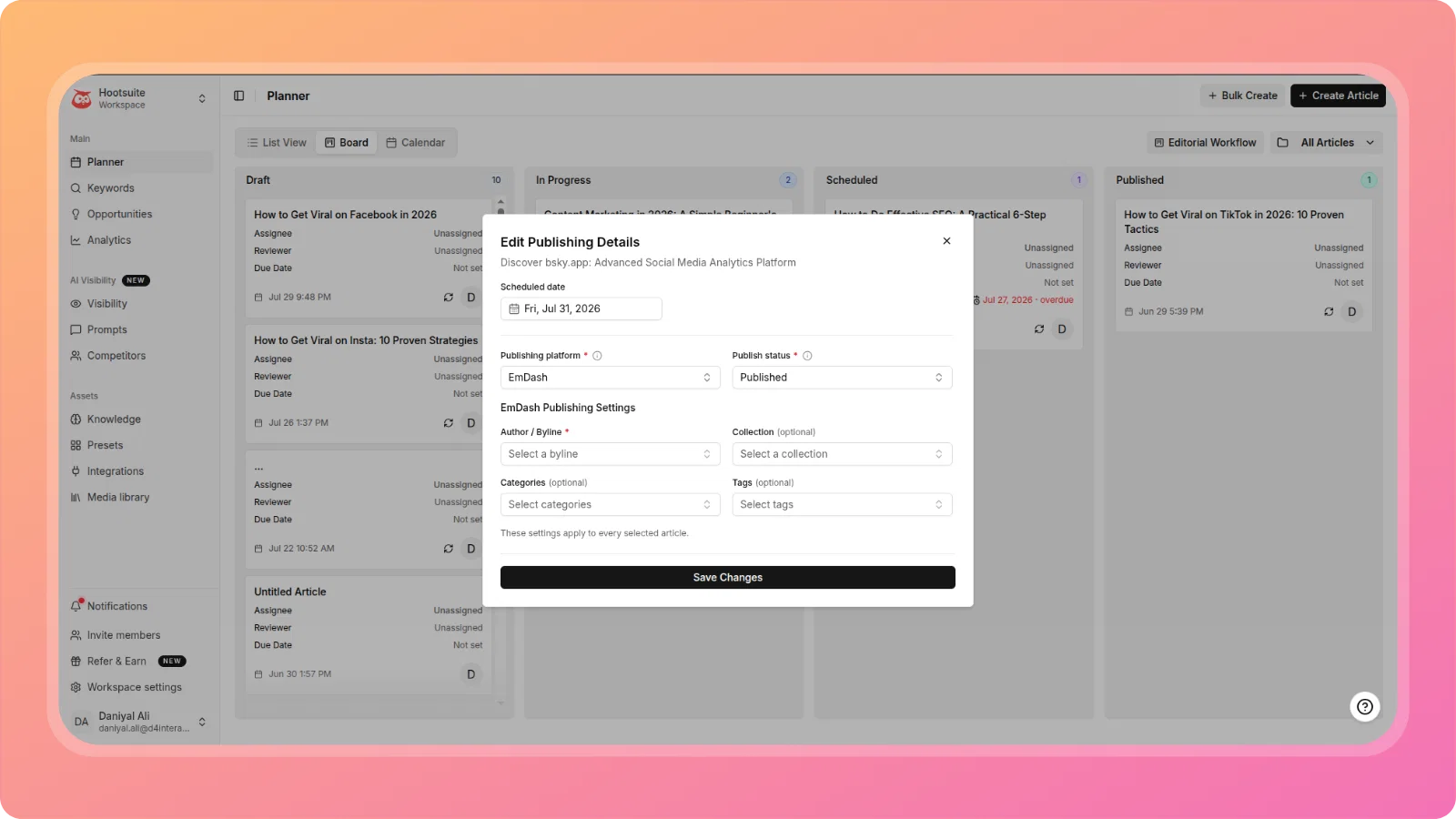
📅 Planner Scheduling Flow
Scheduling in the Planner now works end to end. Drag a card into the Scheduled column to set its date, view and edit the publish date directly from the article detail panel or editor, and see overdue articles flagged automatically on the board. Cards now auto-move when an article is published via CMS.
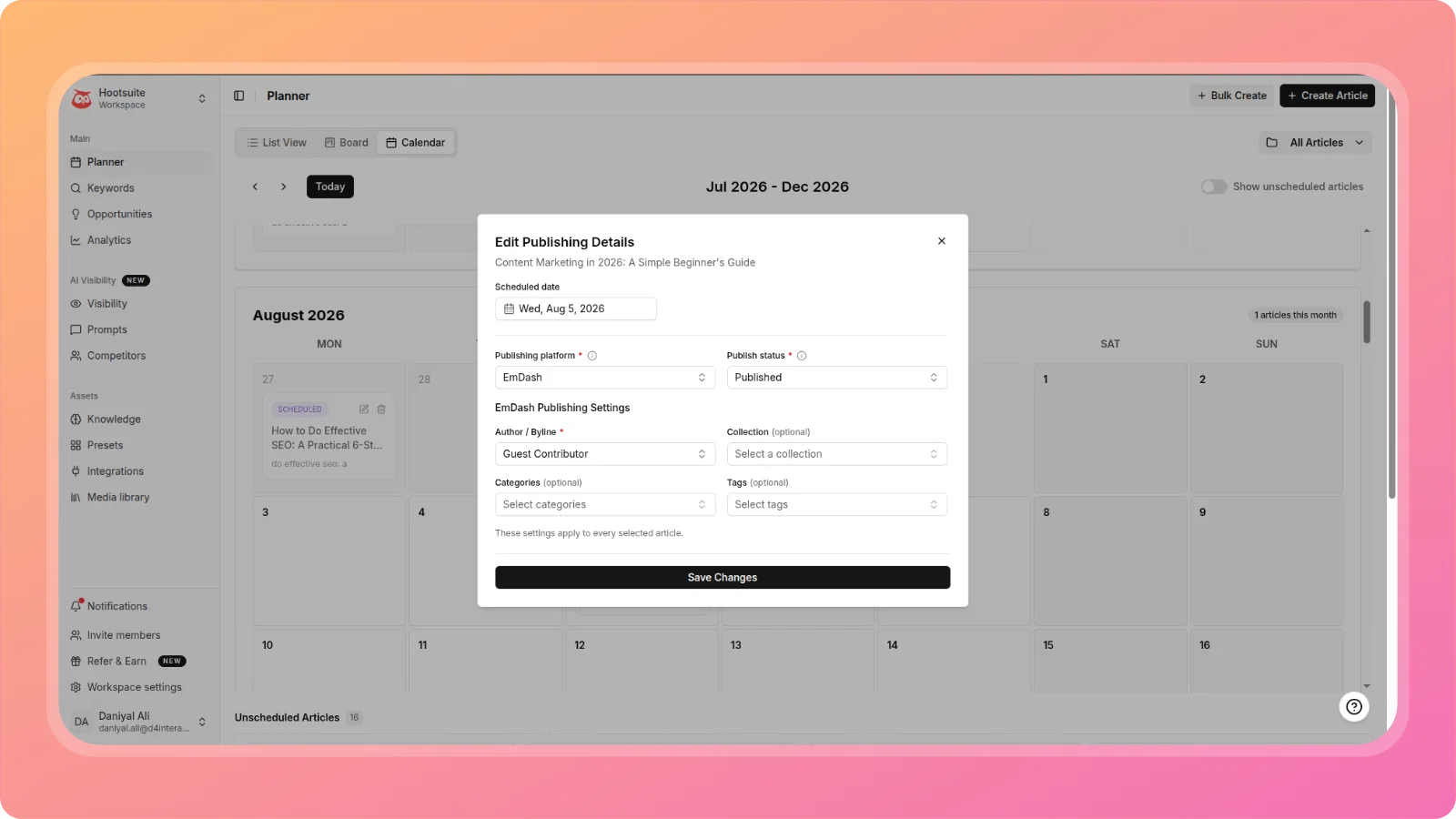
✏️ Edit Scheduled Article Publishing Details from Calendar
Scheduled articles in the Calendar view now have a full edit action, not just delete. Update the scheduled date, publishing platform, publish status, author, collection, categories, and tags directly from the calendar card, without removing and re-adding the article.
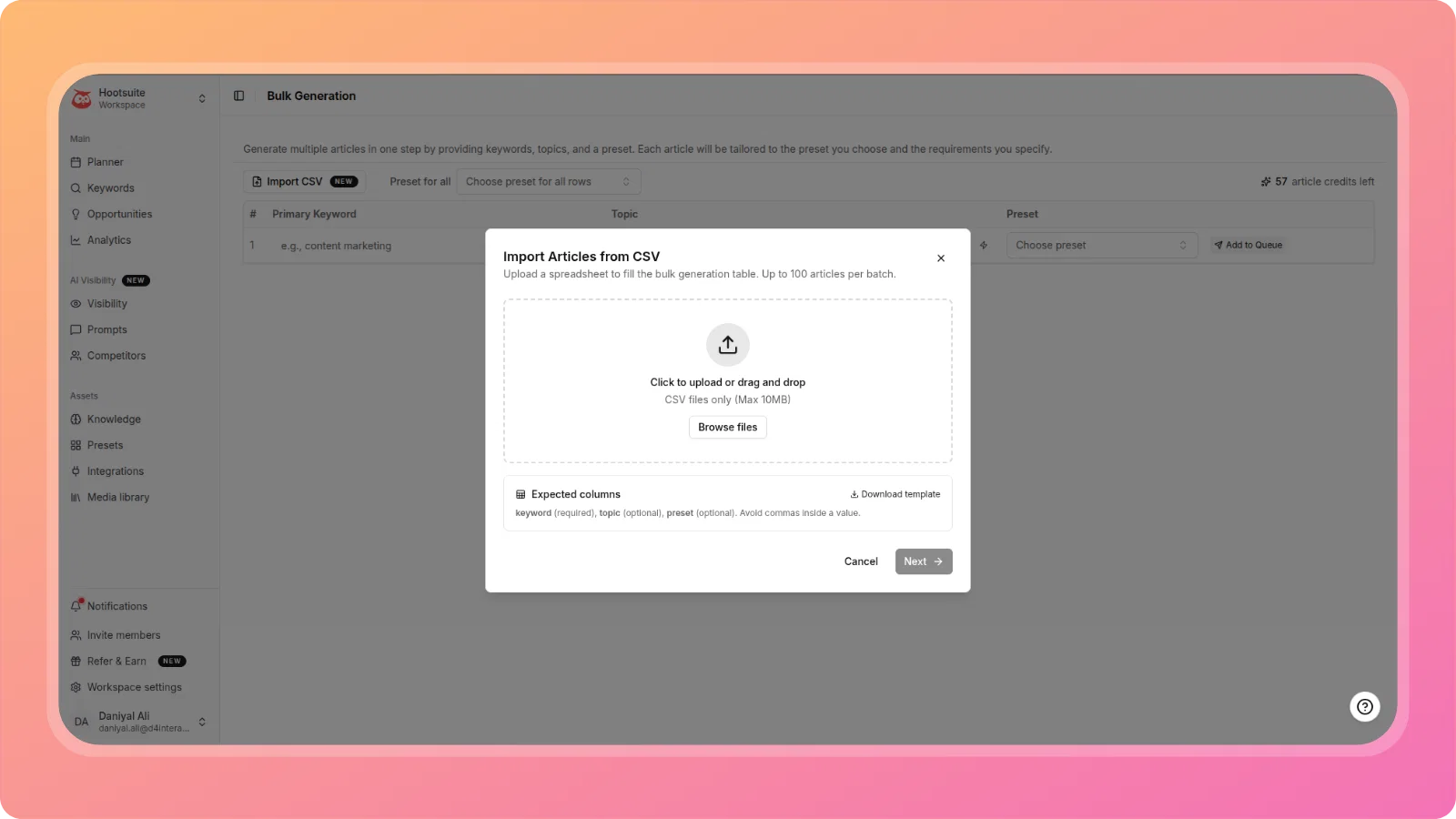
📤 Bulk Create Articles from CSV
Upload a spreadsheet of keywords (and optional topics/preset per row), map the columns, and let ContentPen queue and generate up to 100 articles in the background. Each article lands in the Planner as a Draft with a real-time status indicator. A downloadable template shows the expected column format.
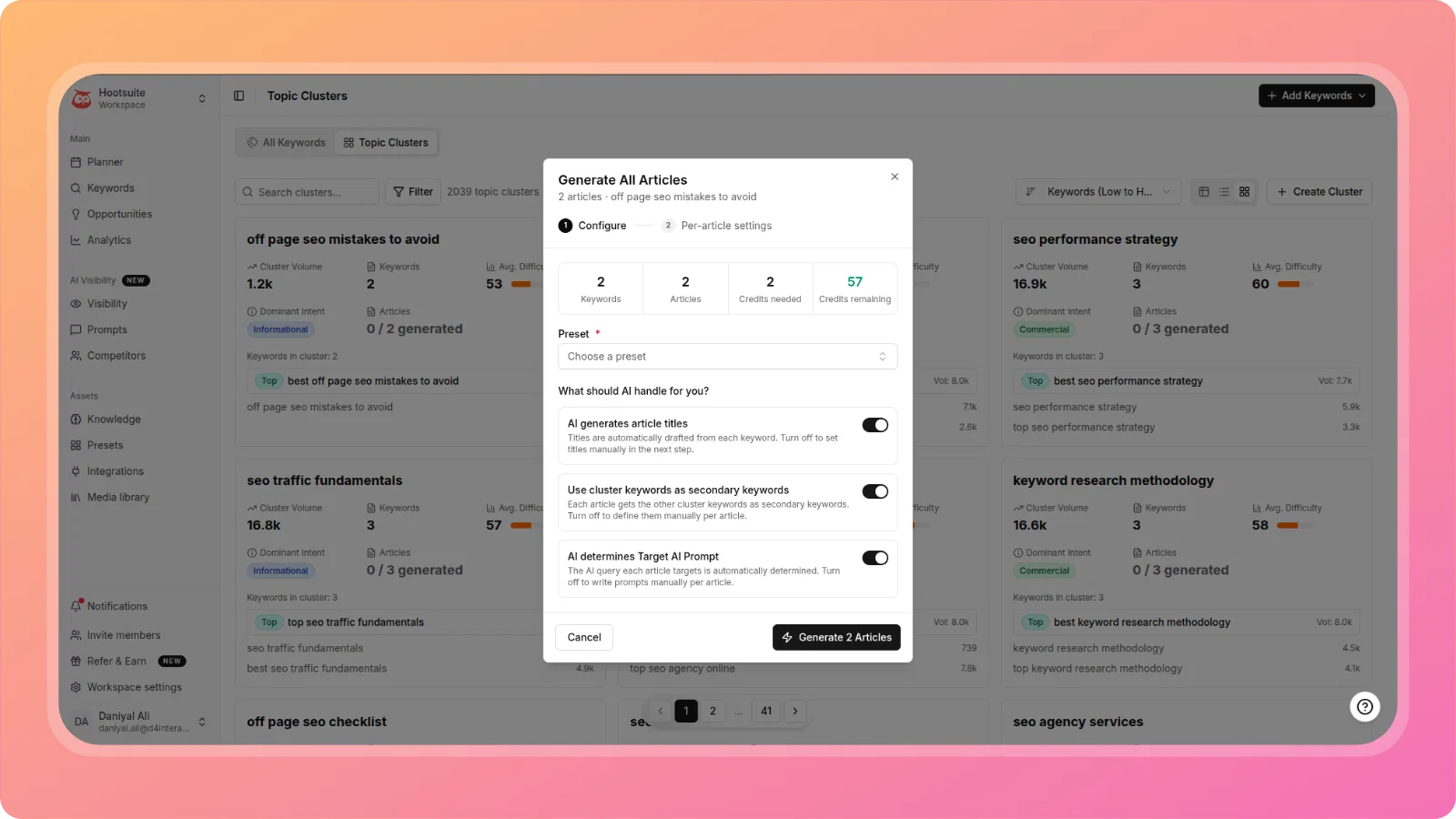
⚡ Bulk Generate Articles from Topic Cluster
Generate every article in a Topic Cluster in one operation instead of one keyword at a time. A two-step modal lets you choose a preset and configure AI decisions (auto-generate titles, auto-generate secondary keywords, auto-determine Target AI Prompt), then optionally fine-tune per-article settings before queuing. Generation runs sequentially with live progress tracking.
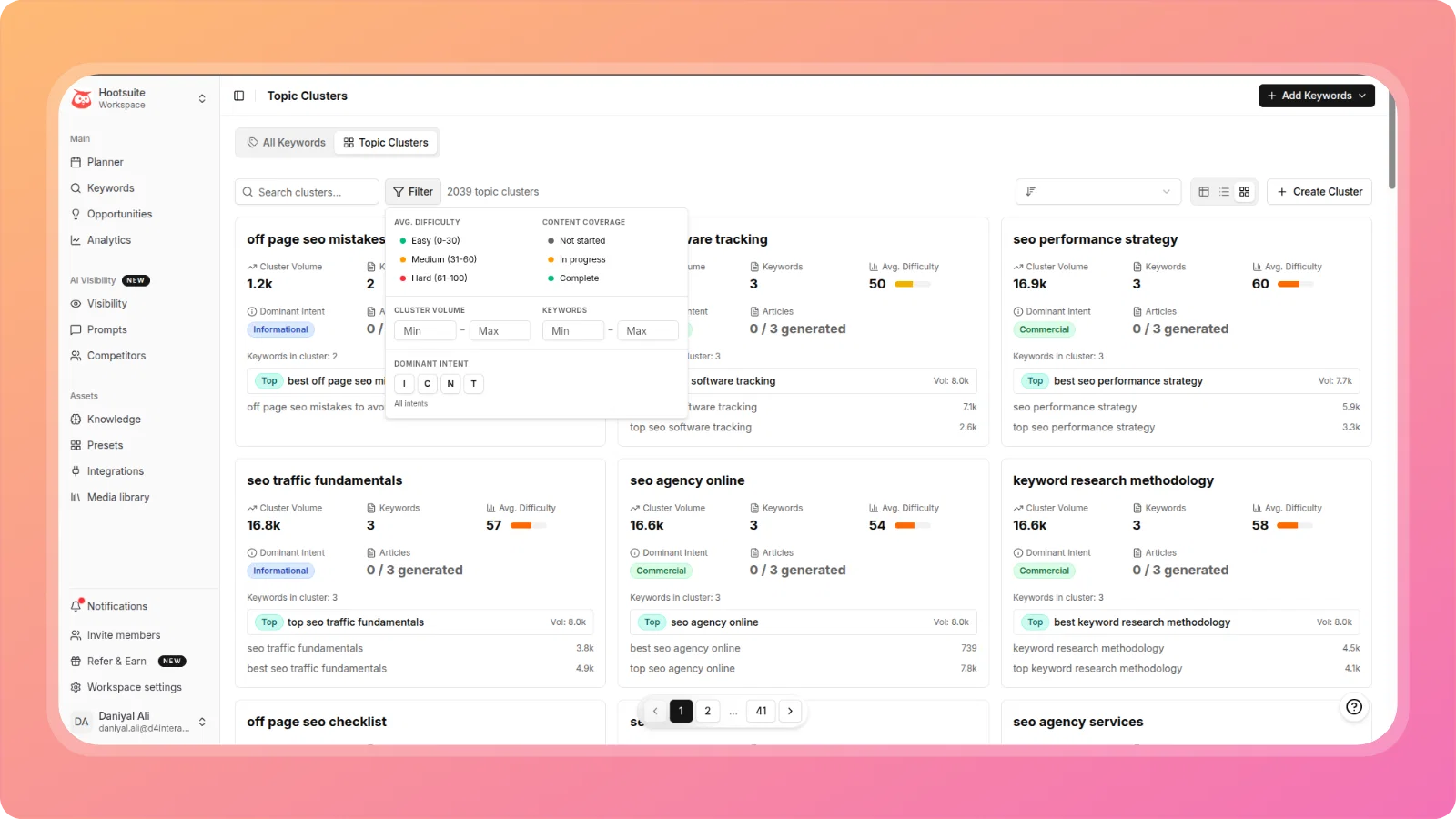
🔍 Filter Panel for Topic Clusters
A new Filter button on the Topic Clusters toolbar opens a panel to narrow down clusters by average difficulty, content coverage status, cluster volume range, keyword count range, and dominant intent — essential for agency and premium workspaces managing 100+ clusters.
📊 Opportunities: First Detected Column
Every row in Quick Wins, Content Decay, and CTR Opportunities tables now shows a First Detected date, so you can tell whether an opportunity is new or has been sitting unresolved for weeks, and track whether a fix actually worked.
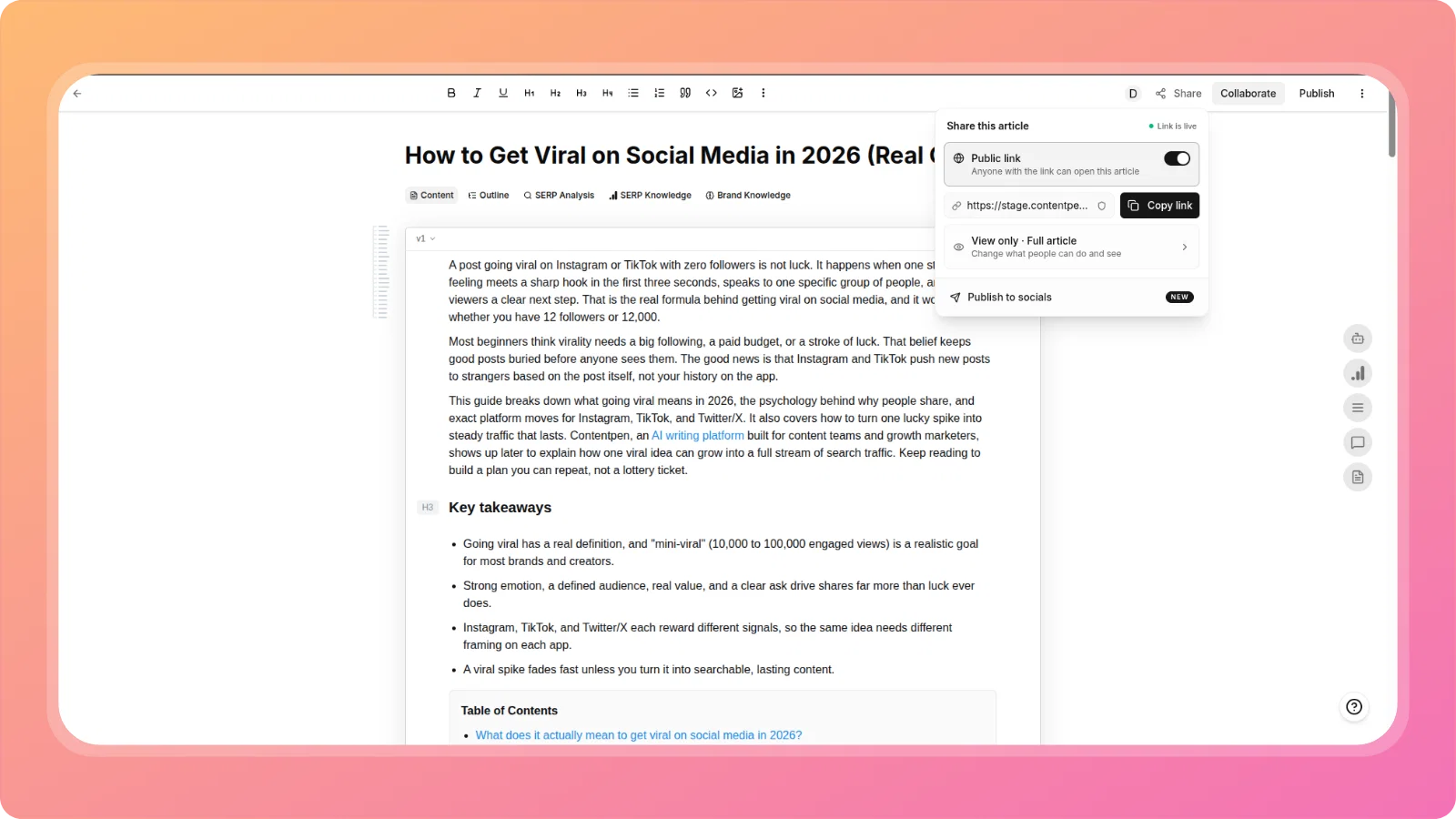
🌍 Public Share Support for Article Outlines
Public share links now work for articles still in the outline stage (Two-Step flow), not just fully generated articles. The Share panel's link settings let you control what viewers can do (View only / Can comment) and what they see (Full article / Outline only), so you can share an outline with a client for approval before the full article is generated.
✍️ Paragraph Length Control
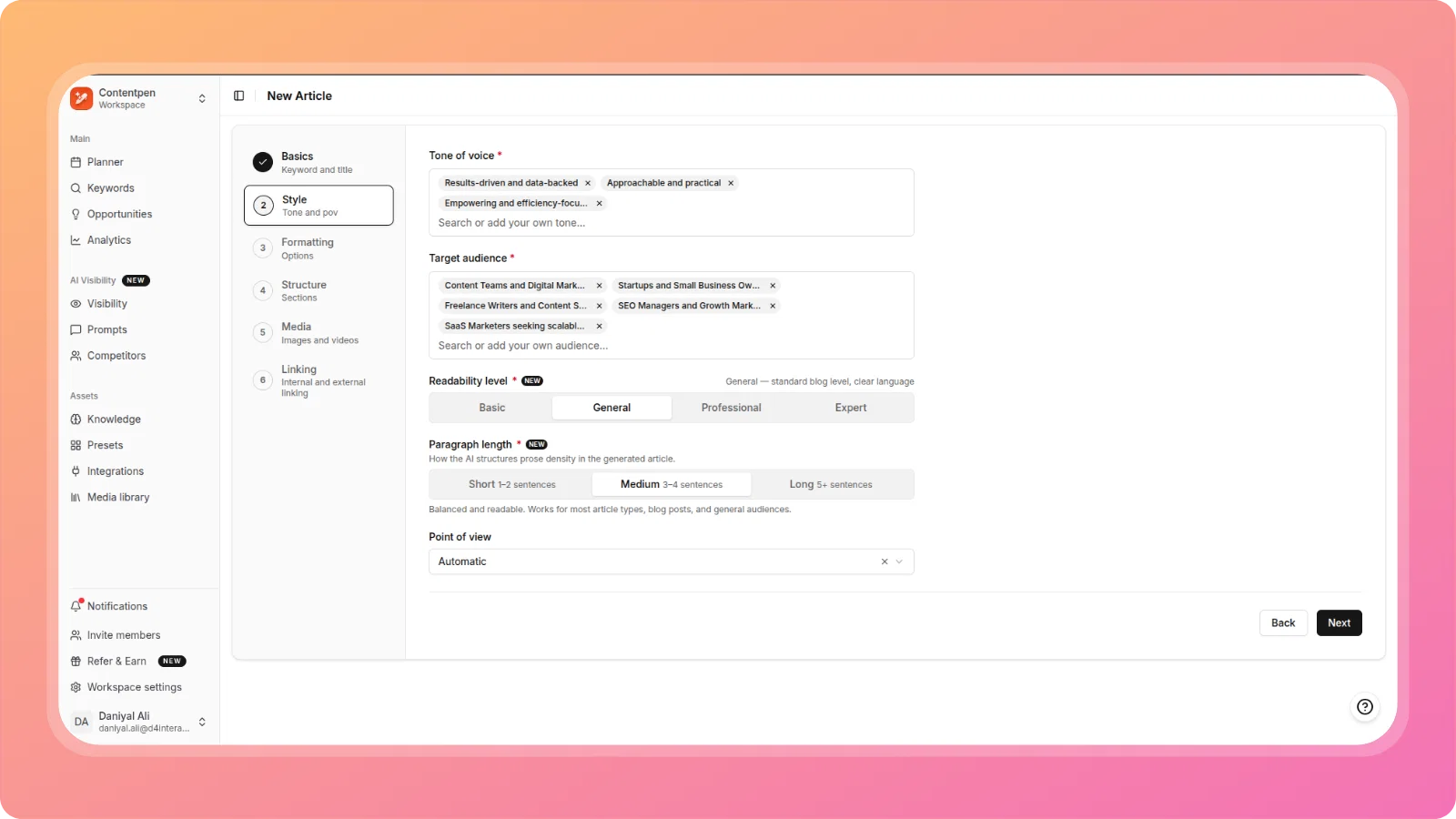
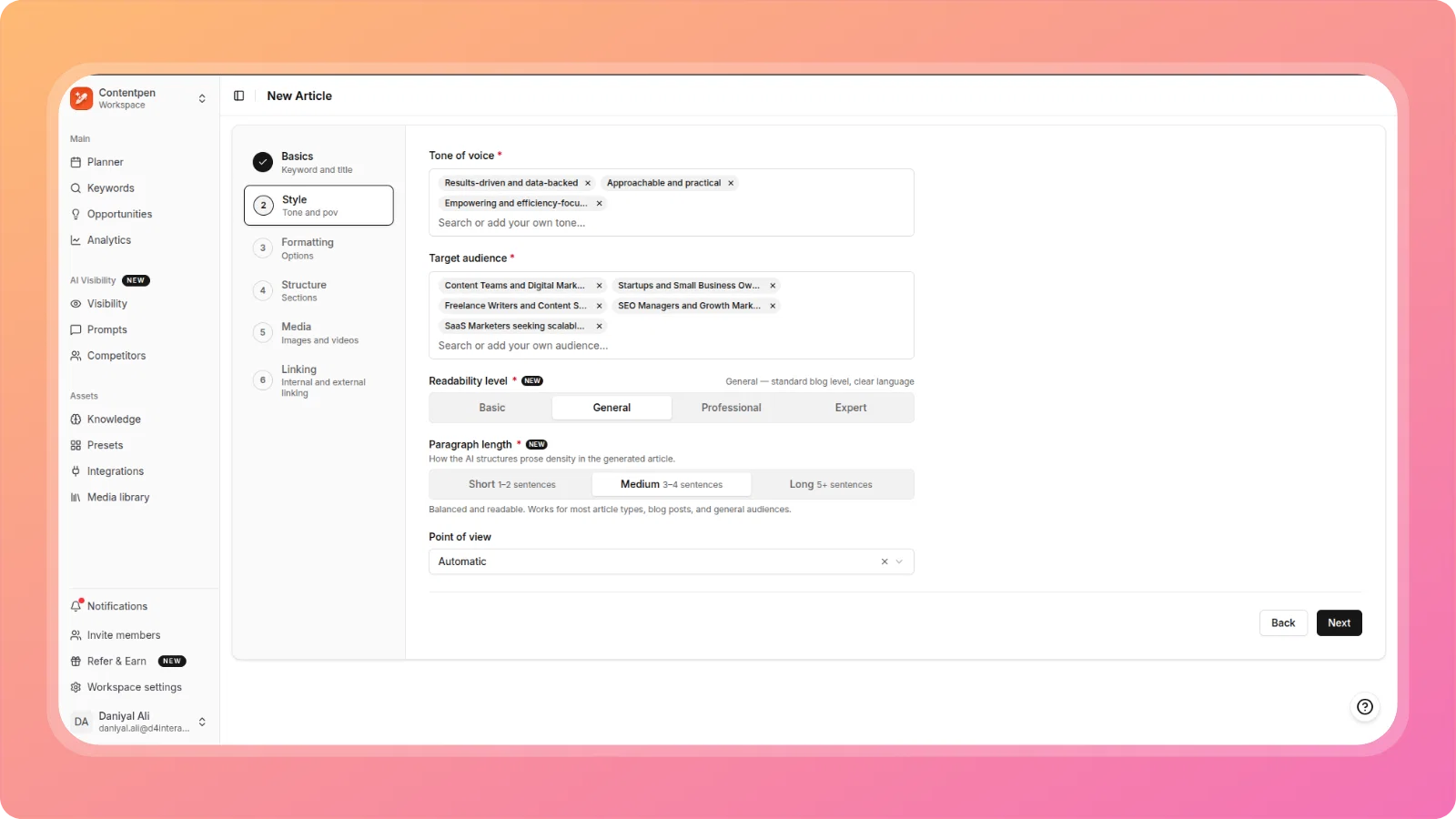
A new Paragraph Length control in Step 2 (Style) of the article wizard lets you choose Short (1–2 sentences), Medium (3–4 sentences), or Long (5+ sentences) prose density. The selected value is injected into the generation prompt, controlling paragraph structure across the full article.
🎓 Readability Level
Alongside Paragraph Length, a new Readability Level control (Basic, General, Professional, Expert) lets the AI calibrate sentence length, vocabulary, and explanation depth to match your target audience, without needing to specify this manually in custom instructions every time.
♻️ Content Refresh — CMS Sync & Restorable Version History
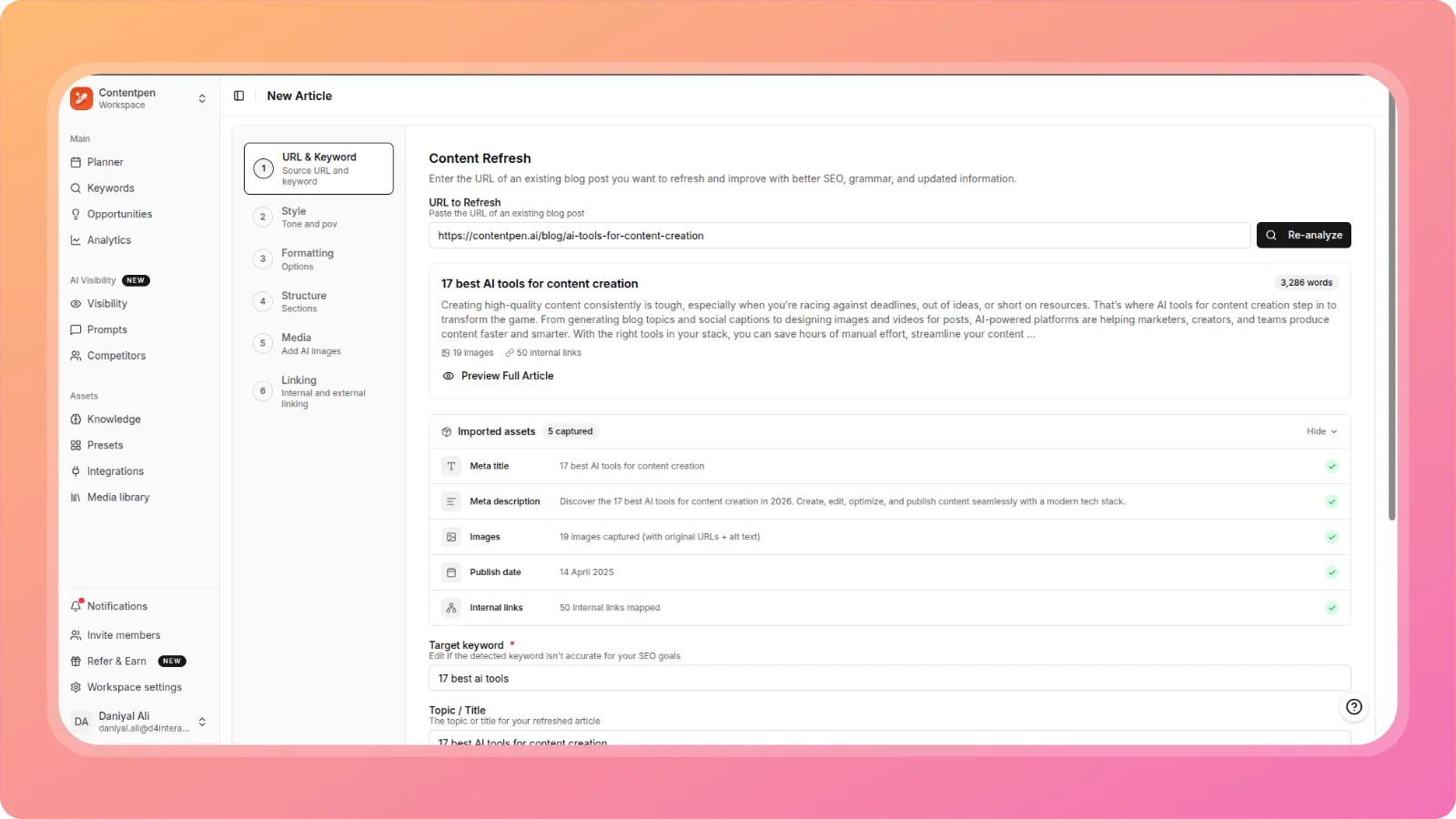
Refreshing an article that was originally published directly on your CMS (not through ContentPen) no longer creates a duplicate post.
ContentPen now resolves the article's source URL to the existing CMS post and updates it in place on re-publish, instead of creating a new one. This works via an opt-in publisher hook, with WordPress wired up first (matched by slug via the public WP REST API, with same-domain and permalink guards). Alongside this, every refresh now snapshots the original pre-refresh content into version history as v1, so you can always revert, even for content that was never generated in ContentPen.
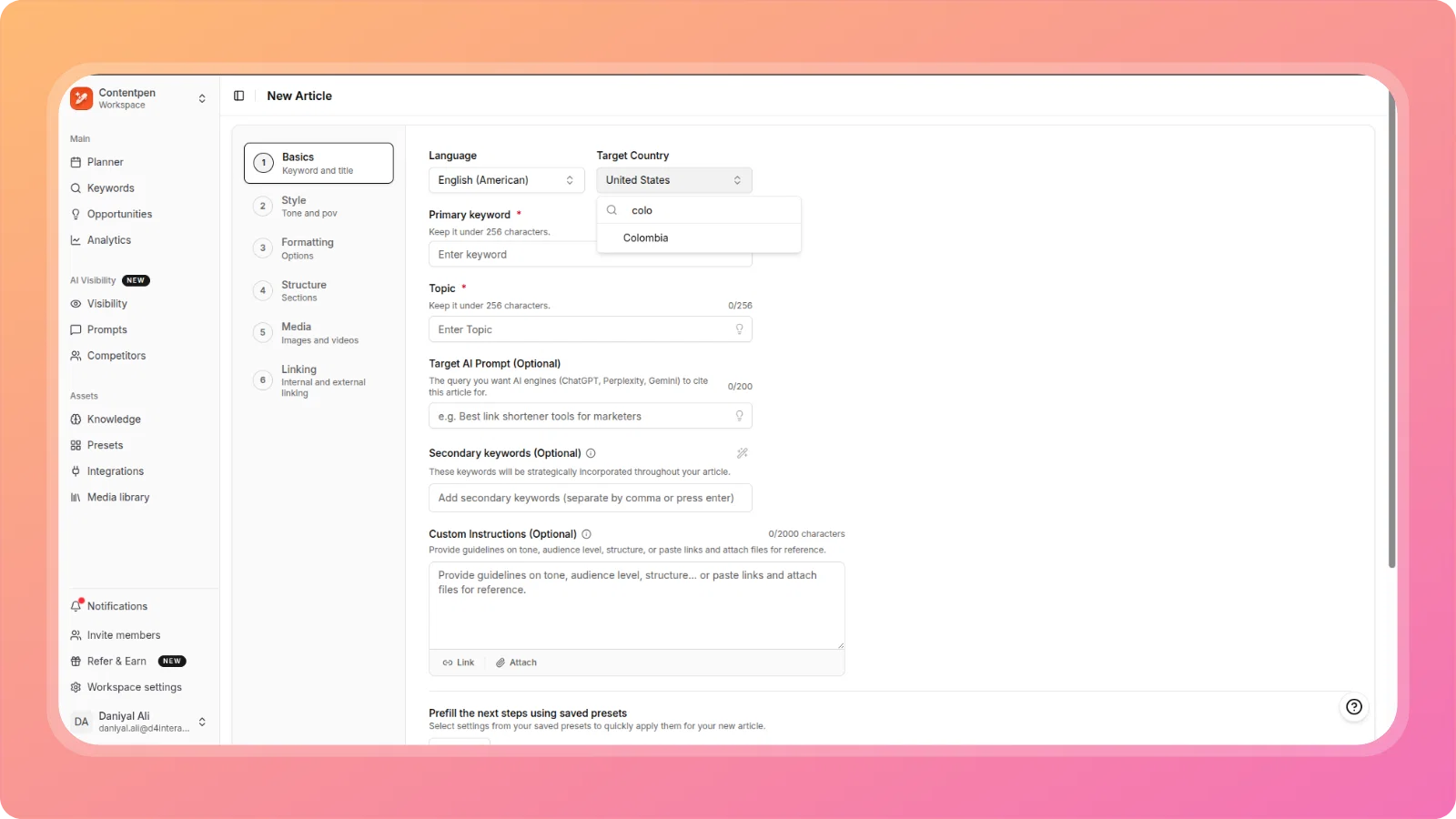
🇨🇴 Colombia Added to Target Country Dropdown
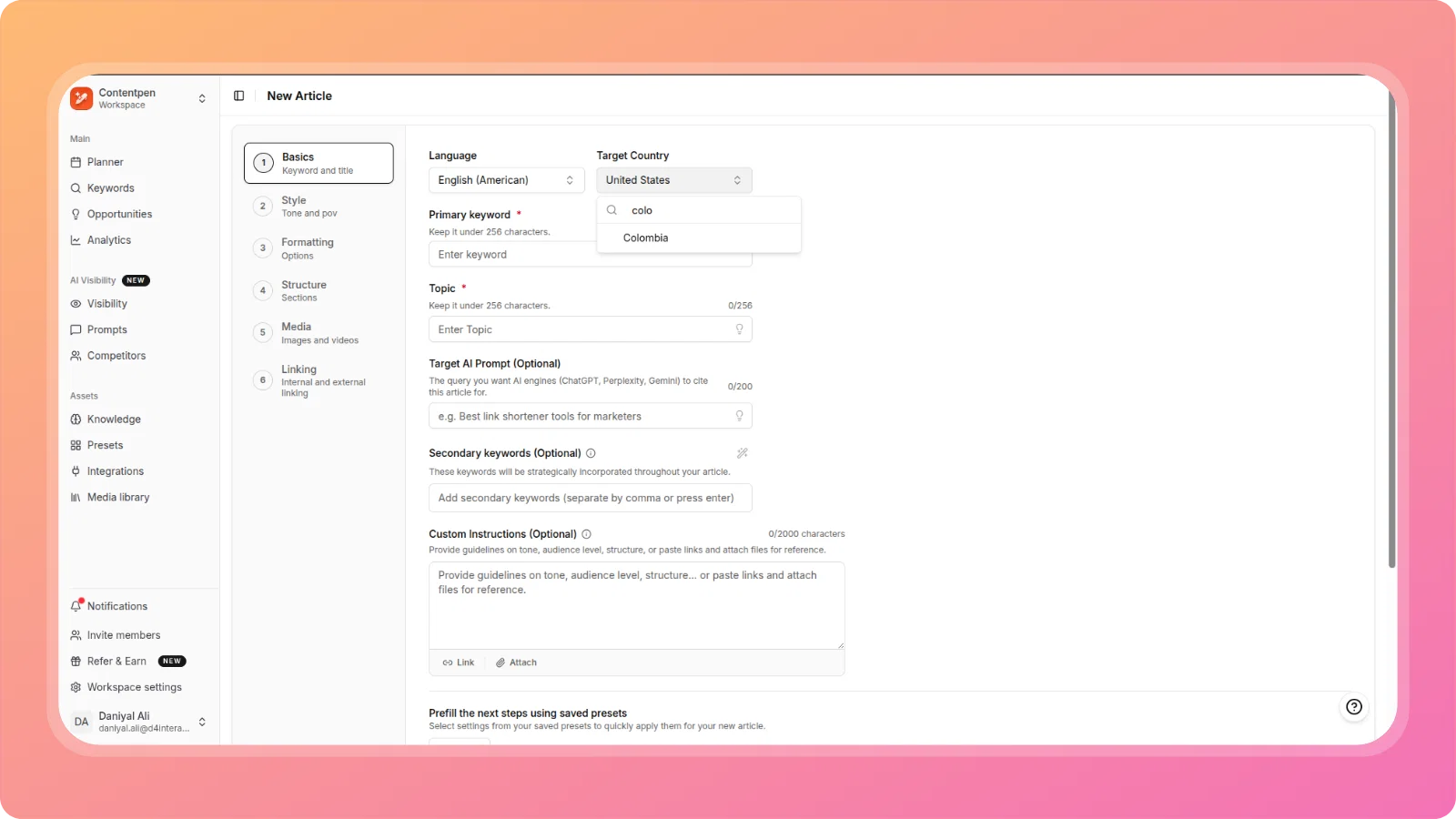
Colombia is now available as a Target Country option in both the article wizard and Presets.
🔧 Improvements & Fixes
Article Generation Quality:
- Excessive brand mentions — Fixed generated articles mentioning the workspace brand in nearly every paragraph regardless of relevance. Brand mentions are now contextually appropriate.
- Fabricated and irrelevant academic citations — Fixed a serious issue where generated articles included invented quotes attributed to real named individuals, citations with zero topical relevance, and citations in the wrong language. Citation sourcing is now filtered for topical and language relevance, and fabricated attributions are prevented.
- Numbers and prices written as words instead of numerals — Fixed. Prices, statistics, and data points are now written as numerals rather than spelled out, removing a manual correction step before publishing.
- Em dash overuse — Fixed excessive em dash usage, a well-known statistical signal of AI-generated writing. Generated articles now use commas, colons, semicolons, and parentheses the way human writers do, reserving em dashes for deliberate, sparing use.
- Incorrect tool pricing and plan information — Improved sourcing for pricing and plan details in generated articles. The pipeline now prioritizes fetching a tool's actual pricing page (including JS-rendered pages) over relying on stale LLM training data or generic SERP results.
- Ask AI inline content generation ignoring article structure and style — Fixed. Ask AI now receives the full article structure and formatting conventions as context, so inline content it generates (headings, sections) matches the existing article's style instead of introducing inconsistent formatting.
Formatting Controls:
- Bold and Italic applied despite being unchecked in wizard — Fixed. Unchecking Bold or Italic in Step 3 (Formatting) is now correctly respected during generation.
- Quotes appearing despite being unchecked, plus quality overhaul — Fixed the same opt-out bug for the Quotes option, and improved the quality of generated quotes when the option is enabled, removing outdated, generic, or unattributable quotes.
- Alt text appearing as duplicate visible text below images — Fixed an issue where image alt text was being duplicated as plain paragraph text in the article body, visible to readers if published.
GEO Score:
- "Fix with AI" placing Key Takeaways inside the Introduction instead of after it. The Key Takeaways block is now correctly inserted immediately after the Introduction ends, with a proper H3 heading.
- GEO "Fix with AI" degrading article quality. GEO fixes were being applied as isolated, per-parameter LLM calls with no awareness of each other or the article's established voice, producing fragmented patches. Fixes are now coordinated for consistency.
- GEO AI Fix causing hard cuts and disjointed insertions. Fixed content now blends naturally with surrounding paragraphs instead of reading as an abrupt tonal break.
SEO Score:
- SEO Score Panel showing 34% on a completely blank article — Fixed the underlying check-state logic. Skipped checks no longer count as passes, empty-content checks no longer fail prematurely, and category badges now reflect failing item counts rather than totals.
- External linking quality — domain-level links instead of deep, contextual links. External links now point to the specific relevant page or study rather than a domain homepage, with descriptive anchor text instead of defaulting to the brand name.
Topic Clusters & Keywords:
- Clustering producing too many small, weak clusters. A hard minimum of 4 keywords per cluster is now enforced, with automatic sub-threshold merging and a dedicated Ungrouped cluster for genuine orphan keywords.
- Pagination missing from Topic Clusters view. Topic Clusters now supports full pagination, matching the pattern already used in All Keywords, so all clusters are accessible regardless of dataset size.
AI Visibility:
- Top stats bar design and spacing overhaul — Improved visual hierarchy, spacing consistency, and layout of the Schedule, Credits, LLMs Tracked, and Active Prompts stat blocks.
- Duplicate tags across AI Visibility Prompts — Fixed existing duplicate tag data across workspaces and added a uniqueness constraint to prevent duplicate tag creation going forward.
Editor & Links:
- "Open in new tab" missing from Edit Link popup. The option now appears in both Add Link and Edit Link popups, so link behavior can be changed without deleting and recreating the link.
- Author and Categories dropdowns rendering behind Publish modal — Fixed a z-index issue causing these dropdowns to appear behind the modal.
- Reference image style not applied to generated featured image. Uploaded reference images now correctly influence the visual style (color palette, composition, mood) of the generated featured image, as promised in the UI.
Bulk Actions:
- Bulk Create — duplicate generations from double-clicking. The Generate Articles button now prevents duplicate triggering from rapid double-clicks.
- Bulk Create — Topic Suggestions dropdown hidden behind table — Fixed a z-index issue causing the suggestions dropdown to render underneath the bulk generation table.
- Image Style dropdown not opening in AI Image Generator — Fixed.
Account & Workspace:
- AI Insights call failing in Opportunities page — Debugged and fixed.
- Two different referral URLs shown for the same user — Fixed a mismatch between the "Affiliate account linked" section and the embedded FirstPromoter widget on the Refer & Earn page; both now show the same referral link.
Platform:
- Claude model updated from Sonnet 4.6 to Sonnet 5 — The underlying Claude model used across the app has been updated to Sonnet 5.
We're committed to making Contentpen.ai the best content creation platform for your needs. Stay tuned for more exciting features and improvements!
The ContentPen.ai Team